# openagent
**Repository Path**: ABCDRD/openagent
## Basic Information
- **Project Name**: openagent
- **Description**: No description available
- **Primary Language**: Unknown
- **License**: Apache-2.0
- **Default Branch**: master
- **Homepage**: None
- **GVP Project**: No
## Statistics
- **Stars**: 0
- **Forks**: 0
- **Created**: 2026-07-20
- **Last Updated**: 2026-07-20
## Categories & Tags
**Categories**: Uncategorized
**Tags**: None
## README

**基于 LLM、RAG 和 Agent 循环的下一代个人 AI 助手 — 单一二进制文件,无需安装**
*支持计算机操控、浏览器操控和编程 Agent*
[](https://github.com/the-open-agent/openagent/actions/workflows/build.yml)
[](https://github.com/the-open-agent/openagent/releases/latest)
[](https://hub.docker.com/r/casbin/openagent)
[](https://goreportcard.com/report/github.com/the-open-agent/openagent)
[](https://github.com/the-open-agent/openagent/blob/master/LICENSE)
[](https://discord.gg/5rPsrAzK7S)
[**在线演示**](https://demo.openagentai.org) · [**试用场**](https://try.openagentai.org) · [**文档**](https://www.openagentai.org) · [**Discord**](https://discord.gg/5rPsrAzK7S)
---
[English](./README.md) | 中文
---
## 什么是 OpenAgent?
OpenAgent 是一个开源个人 AI 助手,将强大的大语言模型、私有知识库和自主 Agent 循环融为一体,形成可自托管的一站式平台。你可以接入任意模型提供商、从文档构建 RAG 知识库,并让 Agent 代替你浏览网页、执行代码、调用任何兼容 MCP 的工具。
| 使用量统计 | 活动监控 |
|:------------------------------------------------------------------------------------------------------------:|:--------------------------------------------------------------------------------------------------------------------:|
| 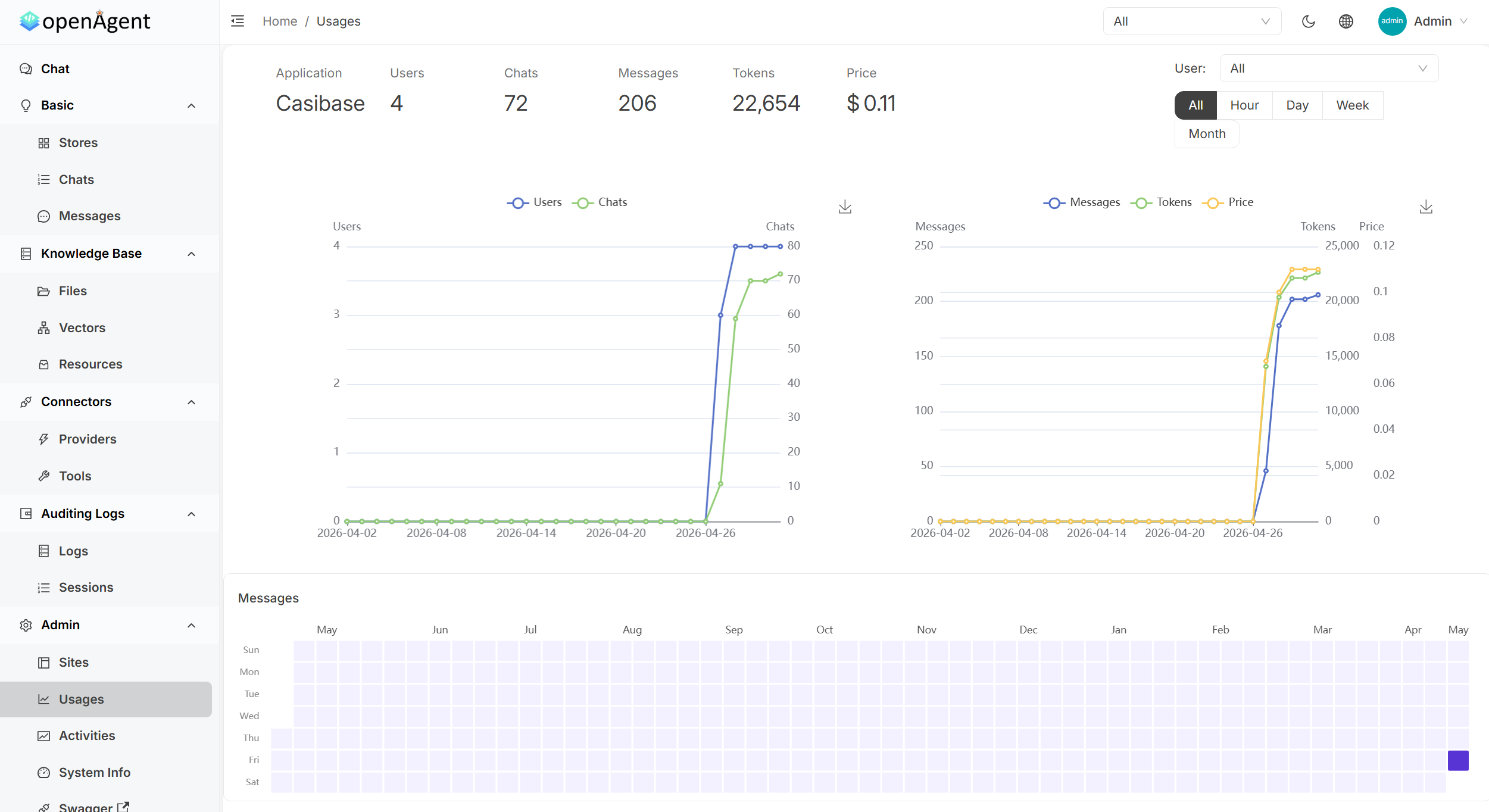 | 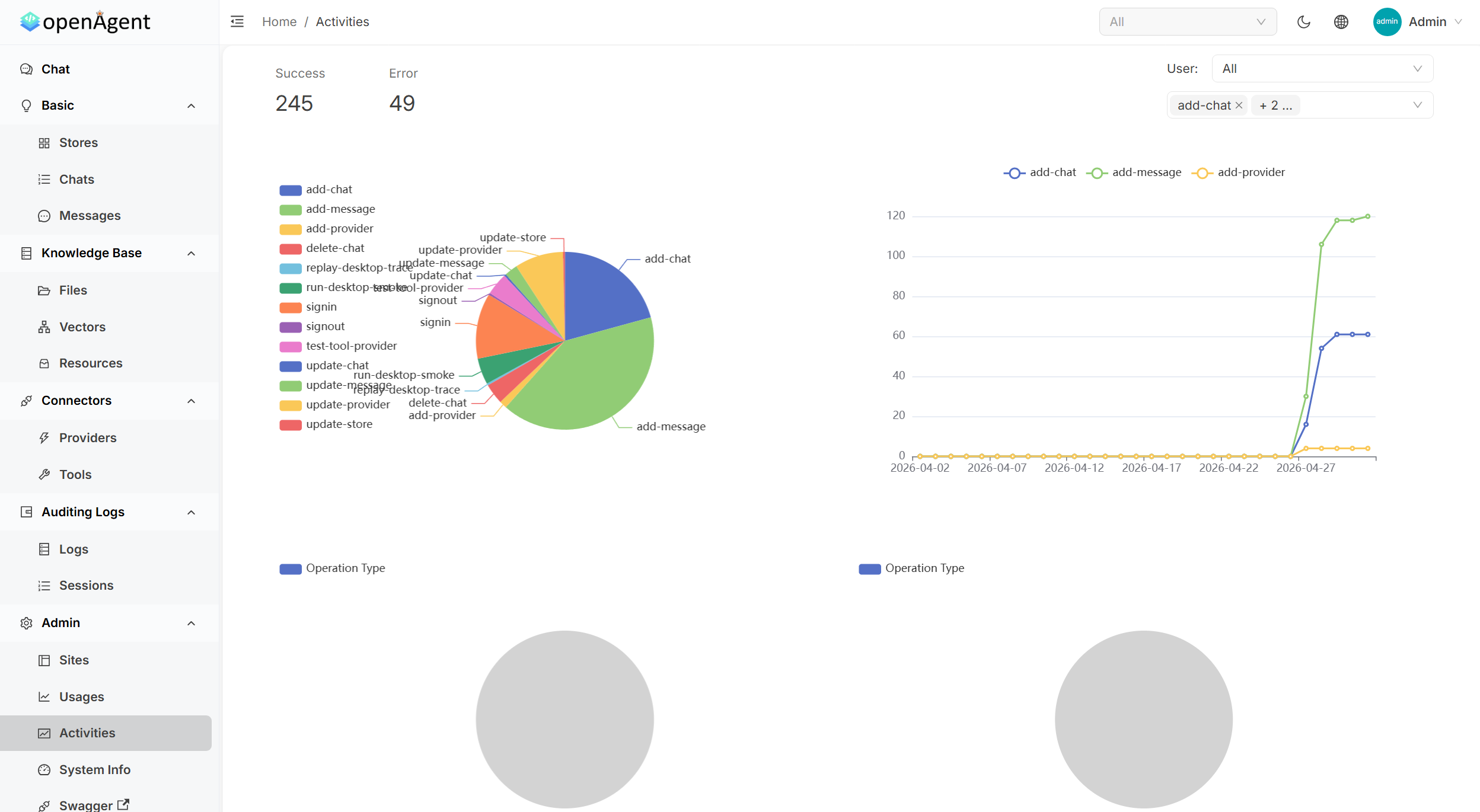 |
| **工具管理** | **详细日志** |
| 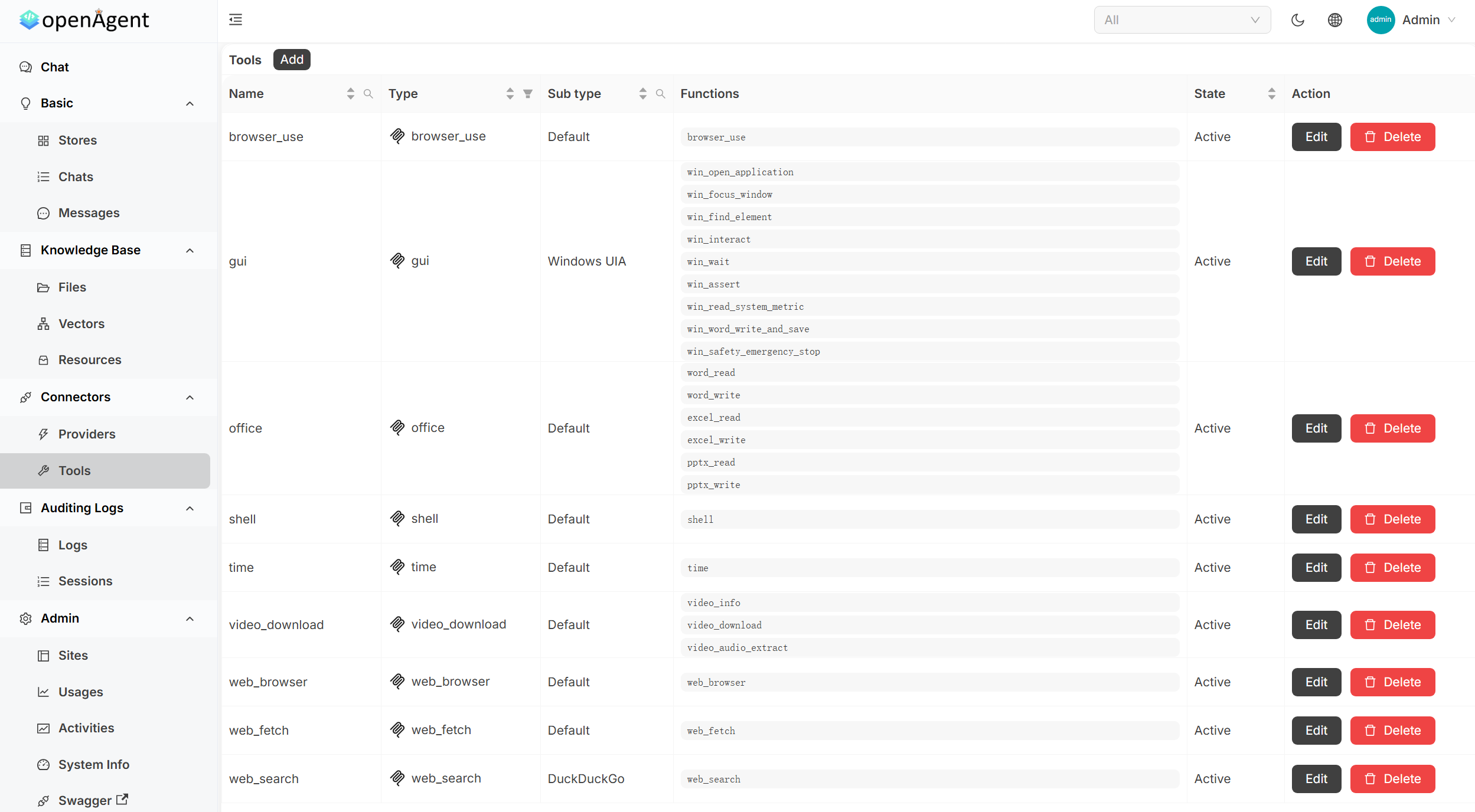 | 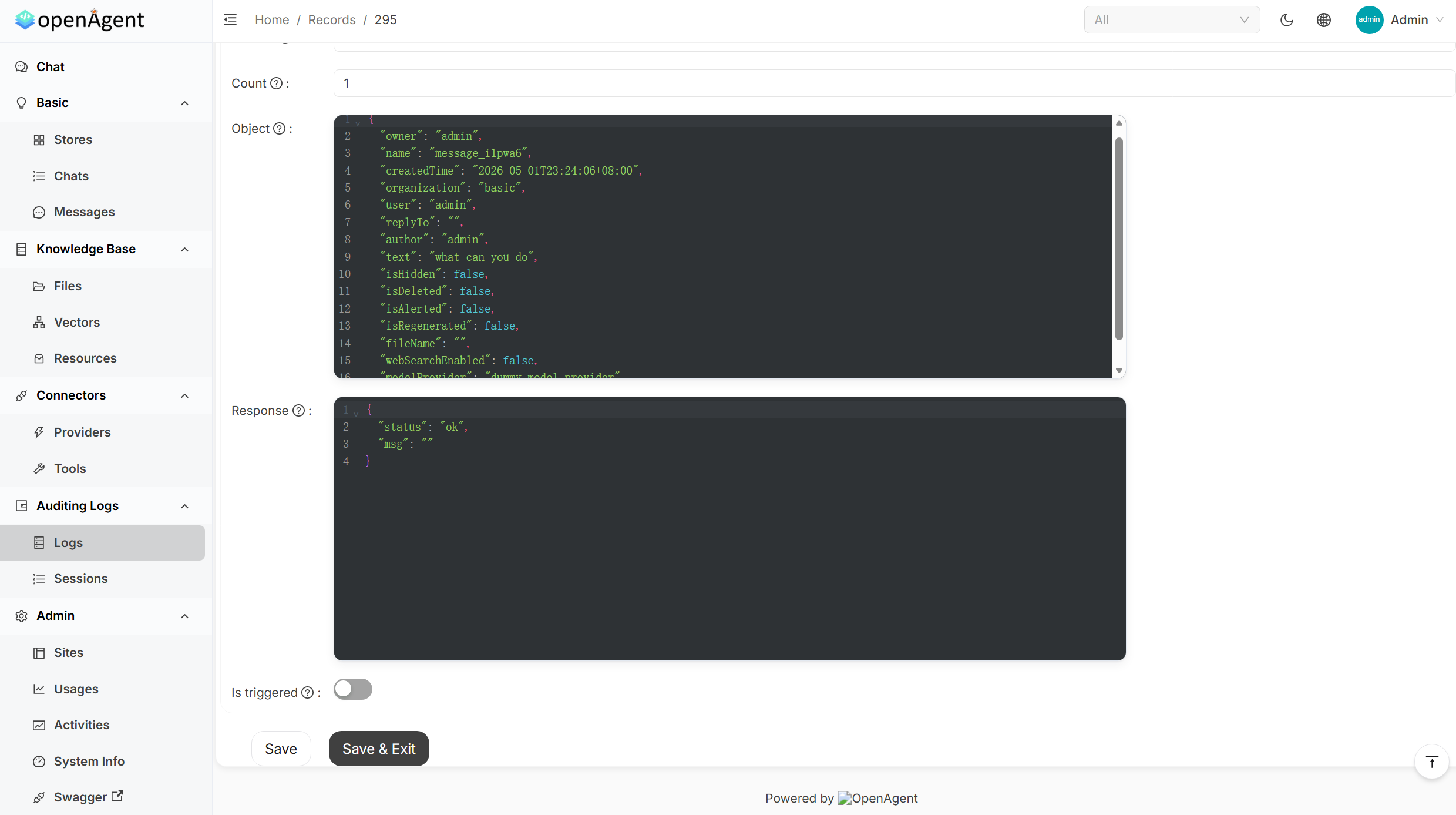 |
---
## 快速开始
提供 **Linux**、**macOS** 和 **Windows**(`amd64` / `arm64`)预编译二进制文件。安装脚本会自动下载最新版本并在 **14000 端口**启动 OpenAgent。
**macOS / Linux / WSL**
```bash
curl -fsSL https://raw.githubusercontent.com/the-open-agent/openagent/master/scripts/install.sh | bash
```
**Windows(PowerShell)**
```powershell
irm https://raw.githubusercontent.com/the-open-agent/openagent/master/scripts/install.ps1 | iex
```
> **Windows 原生支持** — 无需 WSL,无需 Docker。
打开 [http://localhost:14000](http://localhost:14000) 即可使用。
> 可选环境变量:`OPENAGENT_VERSION`、`INSTALL_DIR`、`BIN_DIR`
**从源码构建**
```bash
# 后端
go build
# 前端
cd web && yarn install && yarn start
```
**Docker**
```bash
docker-compose up
```
容器启动后访问 [http://localhost:14000](http://localhost:14000)。
---
## 功能特性
### 🤖 30+ 模型提供商
接入所有主流 LLM 提供商,无需修改代码即可在对话中随时切换。
`OpenAI` · `Azure OpenAI` · `Anthropic Claude` · `Google Gemini` · `DeepSeek` · `Mistral` · `Grok` · `通义千问` · `豆包` · `月之暗面` · `智谱 ChatGLM` · `百川` · `文心一言` · `讯飞星火` · `HuggingFace` · `Cohere` · `Amazon Bedrock` · `OpenRouter` · `Ollama` · `以及更多`
---
### 🔄 自主 Agent 循环
| 能力 | 说明 |
|:-----------------------|:--------------------------------------------------------------------------------------------|
| **浏览器操控** | 驱动真实浏览器 — 导航、点击、填表、抓取页面内容和截图 |
| **网页搜索与抓取** | 搜索互联网并将实时页面内容纳入 Agent 上下文 |
| **Shell 执行** | 在 Agent 循环中直接运行 Shell 命令和脚本 |
| **Office 自动化** | 读写 Word、Excel 和 PowerPoint 文件 |
| **MCP 集成** | 接入任意兼容 MCP 的服务器(SSE / Stdio / StreamableHTTP),将其工具暴露给 Agent 使用 |
| **透明工具调用** | 逐步查看每次工具调用的名称、参数和返回值 |
---
### 📚 RAG 与知识库
| 能力 | 说明 |
|:-------------------|:---------------------------------------------------------------------------------------|
| **文档导入** | 上传 PDF、Word、Excel 等文件 — 自动完成分块、嵌入和索引 |
| **语义检索** | 在每次 LLM 响应前,从知识库中检索最相关的段落 |
| **可插拔嵌入模型** | 支持 OpenAI、Azure、Gemini、通义千问、Cohere、Jina、HuggingFace、本地模型等 |
| **独立知识库** | 将知识整理到独立的知识库中,按对话或应用分别分配 |
---
### ⚡ 工作流自动化
| 能力 | 说明 |
|:-------------------------|:-------------------------------------------------------------|
| **可视化工作流编辑器** | 使用类 BPMN 风格的拖拽编辑器构建多步骤流水线 |
| **条件与并行执行** | 按网关条件分支;并发执行独立任务 |
| **任务调度** | 按计划周期触发工作流或 Agent 任务 |
| **使用量统计** | 按提供商、模型和用户追踪 Token 消耗与费用 |
---
### 🏗️ 平台特性
| 能力 | 说明 |
|:------------------------|:-----------------------------------------------------------------------------------------------------------|
| **单一二进制文件** | 一个可执行文件 — 无安装程序,无运行时依赖,在任意受支持平台上即下即用 |
| **原生 Windows 支持** | 直接在 Windows 上运行 — 无需 WSL、Docker 或 Linux 子系统 |
| **单点登录** | 通过内置认证层支持 OIDC / OAuth2 / LDAP / SAML |
| **多租户** | 为每个用户或组织提供隔离的工作空间 |
| **REST API + Swagger UI** | 所有功能均可通过 API 访问 |
| **审计日志** | 每个操作的完整活动历史记录 |
| **文件与媒体管理** | 内置文件、图片和视频内容存储 |
---
### 📊 管理员仪表盘
| 面板 | 内容 |
|:-------------------|:--------------------------------------------------------------------------------------------|
| **使用量统计** | 按应用、用户和模型的 Token 与费用指标 — 配有交互式图表和热力图 |
| **活动监控** | 实时系统操作,包含成功/错误率、操作类型分布和趋势 |
| **工具管理** | 所有 Agent 工具的集中式管理:浏览器、Shell、Office、网页搜索等 |
| **请求日志** | 完整的请求/响应内容,支持 JSON 格式化、过滤和调试 |
---
## 在线演示
| 环境 | 地址 | 说明 |
|:-----------------|:-----------------------------|:-------------------------------------------------|
| **在线预览** | https://demo.openagentai.org | 只读浏览 — 无需注册账号 |
| **试用场** | https://try.openagentai.org | 可自由操作 — 数据每 5 分钟重置一次 |
---
## 文档
完整文档请访问 **[https://www.openagentai.org](https://www.openagentai.org)**
---
## 社区
- **Discord** — [discord.gg/5rPsrAzK7S](https://discord.gg/5rPsrAzK7S) · 与维护者和其他用户交流
- **Issues & PRs** — 欢迎贡献!较大改动请先开 Issue 讨论
---
## 许可证
[Apache 2.0](https://github.com/the-open-agent/openagent/blob/master/LICENSE)