# ai-draw
**Repository Path**: corffee/ai-draw
## Basic Information
- **Project Name**: ai-draw
- **Description**: No description available
- **Primary Language**: Unknown
- **License**: Not specified
- **Default Branch**: main
- **Homepage**: None
- **GVP Project**: No
## Statistics
- **Stars**: 0
- **Forks**: 0
- **Created**: 2026-02-07
- **Last Updated**: 2026-03-30
## Categories & Tags
**Categories**: Uncategorized
**Tags**: None
## README
English | [中文](./README.md)
An AI-powered diagram platform lets you describe charts in natural language and interact with AI for easy creation. It supports Mermaid, Excalidraw, and Draw.io engines. Users can privately deploy with Docker, store and manage diagram files, and choose between local or cloud use, and supports multi-user usage.
AI驱动的图表创作平台,与AI对话,轻松使用Mermaid、Excalidraw和Draw.io绘图,支持docker私有部署、绘图文件存储和管理、本地和云端两种使用模式,支持多用户使用。
# AI Draw

Visualize Your Ideas
Chat with AI, bring your ideas to life
[](http://100qie.cn:3000)
AI Draw is a smart diagramming tool that generates flowcharts, timelines, architecture diagrams, and more using natural language commands, eliminating the need for complex drag-and-drop operations and making ideas visible instantly. It supports Mermaid, Excalidraw, and Draw.io and allows for private deployment via Docker, as well as the management of drawing files and groups.
Developed from next-ai-drawio and ai-draw-next, it includes enhanced features such as file management, group organization, both local and cloud-based access, and dynamic drawing effects, while also improving the user experience through various adjustments.
## Screenshot


## Private deployment- Docker Compose (Recommendation)
**1. Deploy and launch a project using Docker**
```bash
version: '3.8'
services:
ai-draw:
build: .
image: ghcr.io/stone-yu/ai-draw:latest
container_name: ai-draw
restart: unless-stopped
ports:
- "3000:3000"
volumes:
# Map local data directory to container data directory
# On NAS, change ./data to your actual path, e.g., /volume1/docker/aidraw/data
- ./data/aidraw:/app/data
environment:
- PORT=3000
- DATA_DIR=/app/data
- DEBUG=false
```
**2.Access the system:** Access http://:3000 to use. The data will be saved in the /app/data folder under the project directory;
**3.Admin login:** Log in with the default admin account: admin/admin123. Change the password promptly after logging in;
**4.Set up the global LLM model:** Go to System Settings > Global LLM Model on the left, and fill in the required information;
## Local development
**1.Launch the project**
```bash
git clone https://github.com/stone-yu/ai-draw
cd ai-draw
pnpm install
# Start both the frontend and backend
pnpm run dev
# Access http://localhost:8787
# Or start them separately:
pnpm run dev:frontend # Vite (http://localhost:5173)
pnpm run dev:backend # Wrangler Pages (http://localhost:8787)
```
**2.Visit the frontend address on the console; data will be saved in the /app/data folder under the project directory;**
**3.Admin login:** Log in with the default admin account: admin/admin123. Change the password promptly after logging in;
**4.Set up the global LLM model:** Go to System Settings > Global LLM Model on the left, and fill in the required information;
## Technology Stack
- **Frontend**:React 19 + Vite + TypeScript + Tailwind CSS
- **State Management**:Zustand
- **Local Storage**:Dexie.js (IndexedDB)
- **Icon Library**:Lucide React
## Supported AI Services
| 服务商 | AI_PROVIDER | AI_BASE_URL | 推荐模型 |
|--------|-------------|-------------|----------|
| OpenAI | openai | https://api.openai.com/v1 | gpt-5 |
| Anthropic | anthropic | https://api.anthropic.com/v1 | claude-sonnet-4-5 |
| 其他兼容服务 | openai | 自定义 URL | - |
## Feedback
Your feedback is very important to us. If you encounter any issues while using our service or have any feature suggestions, please feel free to contact us through the following methods.
- **Github Issues**:https://github.com/stone-yu/ai-draw/issues
## 📈 Star History
[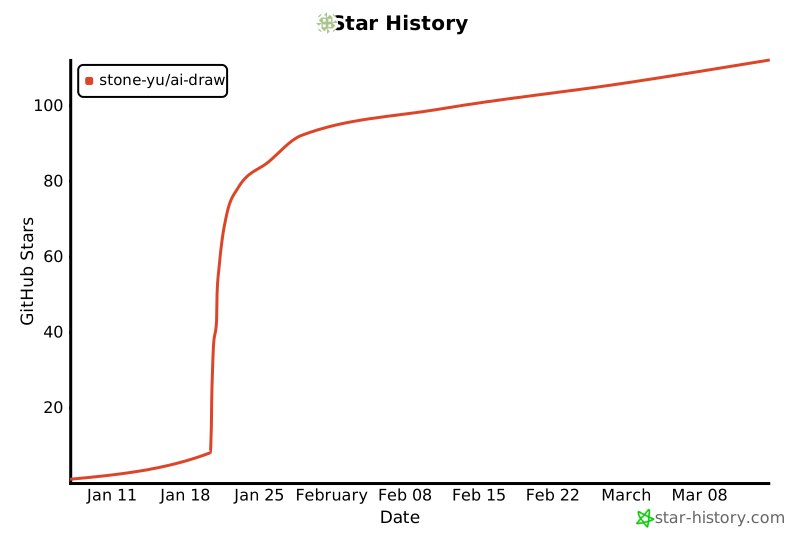](https://www.star-history.com/#stone-yu/ai-draw&type=date&legend=top-left)
## Open-Source License
MIT