
English | 简体中文




Live Demo | Quick Start | Documentation | Frontend Repo | Deploy Scripts | Changelog
## Overview Sz-Admin is an open-source admin scaffold for enterprise back-office systems, SaaS admin panels and secondary development projects. It is composed of the backend repository `sz-boot-parent`, the frontend repository `sz-admin` and the official documentation site. The project focuses on clear module boundaries, upgrade-friendly architecture and practical admin features instead of simply collecting as many functions as possible. - **Backend stack**: Spring Boot 4, JDK 21, Sa-Token, MyBatis-Flex, Liquibase and Redis. - **Frontend stack**: Vue 3, Vite 7, TypeScript, Element Plus and Pinia. - **Built-in features**: RBAC permissions, dynamic menus, data scope, code generator, dictionaries, Excel import/export, OSS resources, WebSocket and request debounce. - **Use cases**: enterprise admin systems, SaaS admin consoles, secondary development scaffolds, CRUD code generation and MySQL/PostgreSQL projects. ## Why Sz-Admin | Highlight | Description | | --- | --- | | Modern stack | Spring Boot 4, JDK 21, Vue 3.5, Vite 7.3 and TypeScript 5.2. | | Practical admin foundation | Built from real back-office development scenarios, with attention to daily development workflow and maintainability. | | Clear module boundaries | Backend modules are split into `sz-common`, `sz-module` and `sz-service`, making official features and custom business modules easier to separate. | | Upgrade friendly | Custom business code can live in independent `sz-module-*` modules, reducing conflicts with official core modules during upgrades. | | Complete RBAC flow | Users, roles, menus, button permissions, dynamic routes and data scope are designed as a connected admin workflow. | | Database-aware design | MySQL and PostgreSQL are supported through explicit database modules, dialects and Liquibase changelogs. | | Faster development | Code generation, script preview, Excel, OSS, dictionaries, WebSocket and request debounce are available out of the box. | ## Repositories | Repository | GitHub | Gitee | | --- | --- | --- | | Backend `sz-boot-parent` | [feiyuchuixue/sz-boot-parent](https://github.com/feiyuchuixue/sz-boot-parent) | [feiyuchuixue/sz-boot-parent](https://gitee.com/feiyuchuixue/sz-boot-parent) | | Frontend `sz-admin` | [feiyuchuixue/sz-admin](https://github.com/feiyuchuixue/sz-admin) | [feiyuchuixue/sz-admin](https://gitee.com/feiyuchuixue/sz-admin) | | Deploy scripts `sz-deploy-v3` | [feiyuchuixue/sz-deploy-v3](https://github.com/feiyuchuixue/sz-deploy-v3) | [feiyuchuixue/sz-deploy-v3](https://gitee.com/feiyuchuixue/sz-deploy-v3) | ## Deployment The recommended server-side deployment repository is [`sz-deploy-v3`](https://github.com/feiyuchuixue/sz-deploy-v3). It uses Docker Compose to prepare the runtime environment, install base dependencies, create Docker networks, generate service directories, write runtime `.env` files and start Redis, MySQL/PostgreSQL, MinIO, backend services, WebSocket, frontend static service and proxy services. For a new server, read the [Deployment Overview](https://szadmin.cn/md/Help/doc/deploy/overview.html) and [Docker Quick Deployment](https://szadmin.cn/md/Help/doc/deploy/deploy-quick-docker.html) first. `sz-deploy-v3` currently targets RockyLinux 10 first. Other Linux distributions may require adjustments for package managers, firewall rules, time zone settings and system services. Quick deployment entry: ```shell wget https://raw.githubusercontent.com/feiyuchuixue/sz-deploy-v3/main/init/install.sh wget https://raw.githubusercontent.com/feiyuchuixue/sz-deploy-v3/main/init/.env # Edit .env for your server environment before running the installer. bash install.sh ``` After initialization, service directories such as `sz-service-admin`, `sz-service-websocket` and `sz-admin` are generated under `/home/docker-compose`. Normal upgrades run `upgrade.sh` in each service directory. When blue-green deployment is enabled, `sz-service-admin` uses `gen-conf.sh` and `deploy.sh` to switch traffic between old and new instances, with `/api/actuator/health` as the health check endpoint. GitHub Actions CI/CD only builds and pushes backend images, then connects to the server through SSH to trigger `upgrade.sh` or `deploy.sh` generated by `sz-deploy-v3`. Before enabling CI/CD, initialize the target server with `sz-deploy-v3` first. Sensitive values such as database passwords, Redis passwords, Sa-Token settings and OSS configuration should stay in the server-side `.env` and `config/{profile}` files, not in workflow files. ## Live Demo | Entry | URL | | --- | --- | | Website | [https://szadmin.cn](https://szadmin.cn) | | Live demo | [https://preview.szadmin.cn](https://preview.szadmin.cn) | | Quick start | [https://szadmin.cn/md/Help/doc/info/start.html](https://szadmin.cn/md/Help/doc/info/start.html) | | Changelog | [https://szadmin.cn/md/Help/doc/other/change-log.html](https://szadmin.cn/md/Help/doc/other/change-log.html) | | v2.0.0 upgrade guide | [https://szadmin.cn/md/Help/doc/other/upgrade.html#v2-0-0](https://szadmin.cn/md/Help/doc/other/upgrade.html#v2-0-0) | Default demo account: ```text admin / sz123456 ``` ## Core Features - **RBAC permissions**: users, roles, menus, buttons and dynamic frontend routes. - **Data scope**: user, department and custom data access control for admin scenarios. - **Dictionaries**: built-in and business dictionaries with frontend option loading. - **Code generator**: table inspection, field configuration, code preview, menu export and initialization scripts. - **Database migrations**: Liquibase changelogs for framework modules, generator modules and demo business modules. - **OSS resources**: resource scenes based on `sceneCode`, object key storage and access URL filling. - **Excel import/export**: templates, failure records, dictionary formatting and export field configuration. - **WebSocket**: standalone real-time messaging service with heartbeat and authentication handling. - **Request debounce**: built-in duplicate request protection with global and endpoint-level configuration. ## Tech Stack ### Backend | Technology | Description | | --- | --- | | Spring Boot 4.x | Core backend framework. | | JDK 21 | Current runtime baseline. | | Sa-Token | Lightweight Java authentication and authorization framework. | | MyBatis-Flex | MyBatis enhancement framework. | | Liquibase | Database version control and migration tool. | | MySQL / PostgreSQL | Choose one database module at runtime. | | Redis | Session, cache, dictionary and synchronization support. | | Springdoc OpenAPI | API documentation through Swagger UI and OpenAPI JSON. | | AWS S3 SDK | S3-compatible object storage integration. | | FastExcel | Excel import and export support. | ### Frontend | Technology | Description | | --- | --- | | Vue 3.5.x | Frontend framework. | | Vite 7.3.x | Frontend development and build tool. | | TypeScript 5.2.x | Type safety and maintainability. | | Element Plus 2.14.x | UI component library. | | Pinia 3.x | State management. | | Vue Router 5.x | Routing. | | Axios 1.16.x | HTTP client. | ## Project Structure ### Backend ```text sz-boot-parent/ |-- sz-build # Parent build, Spring Boot parent version and plugin management |-- sz-common # Reusable technical capabilities | |-- sz-common-core | |-- sz-common-db-core | |-- sz-common-db-mysql | |-- sz-common-db-postgresql | |-- sz-common-excel | |-- sz-common-log | |-- sz-common-oss | |-- sz-common-resource | `-- sz-common-security |-- sz-module # Business modules, not directly bootable | |-- sz-module-common | |-- sz-module-admin | `-- sz-module-generator `-- sz-service # Bootable services |-- sz-service-admin `-- sz-service-websocket ``` ### Frontend ```text sz-admin/ |-- src | |-- api # API functions and types | |-- core # Auth adapter, module registry and route component resolver | |-- editions # Product edition composition | |-- modules # Composable business modules | |-- views # Traditional page directory | |-- components # Shared components | |-- hooks # Composition utilities | |-- stores # Pinia stores | |-- router # Router and guards | `-- config # Constants and configuration |-- package.json `-- vite.config.mts ``` ## Requirements | Runtime | Requirement | | --- | --- | | JDK | 21 | | Maven | 3.8+, 3.9.x recommended | | Database | MySQL 8.0.17+ or PostgreSQL 16+ | | Redis | 7.x | | Node.js | >= 20.19.0, 20.19.5 recommended | | pnpm | 10.17.1 | ## Quick Start For the full setup guide, please read the [Quick Start documentation](https://szadmin.cn/md/Help/doc/info/start.html). This README keeps only the shortest path. ### Backend ```shell git clone https://github.com/feiyuchuixue/sz-boot-parent.git cd sz-boot-parent ``` 1. Create an empty database, for example `sz_admin_preview`. 2. Update `config/local/mysql.yml` or `config/local/postgresql.yml`. 3. MySQL is enabled by default. To switch to PostgreSQL, update `DB_TYPE=postgresql` in `application.yml`, enable `sz-common-db-postgresql` and disable `sz-common-db-mysql` in `sz-service/sz-service-admin/pom.xml`. 4. Update `config/local/redis.yml`. 5. Start `com.sz.AdminApplication` in `sz-service/sz-service-admin`. 6. Start `sz-service/sz-service-websocket` separately if WebSocket is required. Common local URLs: | Service | URL | | --- | --- | | Backend service | `http://127.0.0.1:9991/api` | | Admin API | `http://127.0.0.1:9991/api/admin/**` | | Audit API | `http://127.0.0.1:9991/api/audit/**` | | Generator API | `http://127.0.0.1:9991/api/generator/**` | | Swagger UI | `http://127.0.0.1:9991/api/swagger-ui.html` | | Health check | `http://127.0.0.1:9991/api/actuator/health` | | WebSocket | `ws://127.0.0.1:9993/socket` | ### Frontend ```shell git clone https://github.com/feiyuchuixue/sz-admin.git cd sz-admin corepack enable corepack prepare pnpm@10.17.1 --activate pnpm install pnpm dev ``` Common `.env.development.local`: ```properties VITE_USER_NODE_ENV=development VITE_PUBLIC_PATH=/ VITE_ADMIN_API_BASE=/api/admin VITE_AUDIT_API_BASE=/api/audit VITE_GENERATOR_API_BASE=/api/generator VITE_API_PROXY_TARGET=http://127.0.0.1:9991 VITE_APP_CLIENT_ID=195da9fcce574852b850068771cde034 VITE_ADMIN_BYPASS_PERMISSION=true # VITE_SOCKET_URL=ws://127.0.0.1:9993/socket ``` Open the frontend: ```text http://localhost:9848/ ``` ## Screenshots |
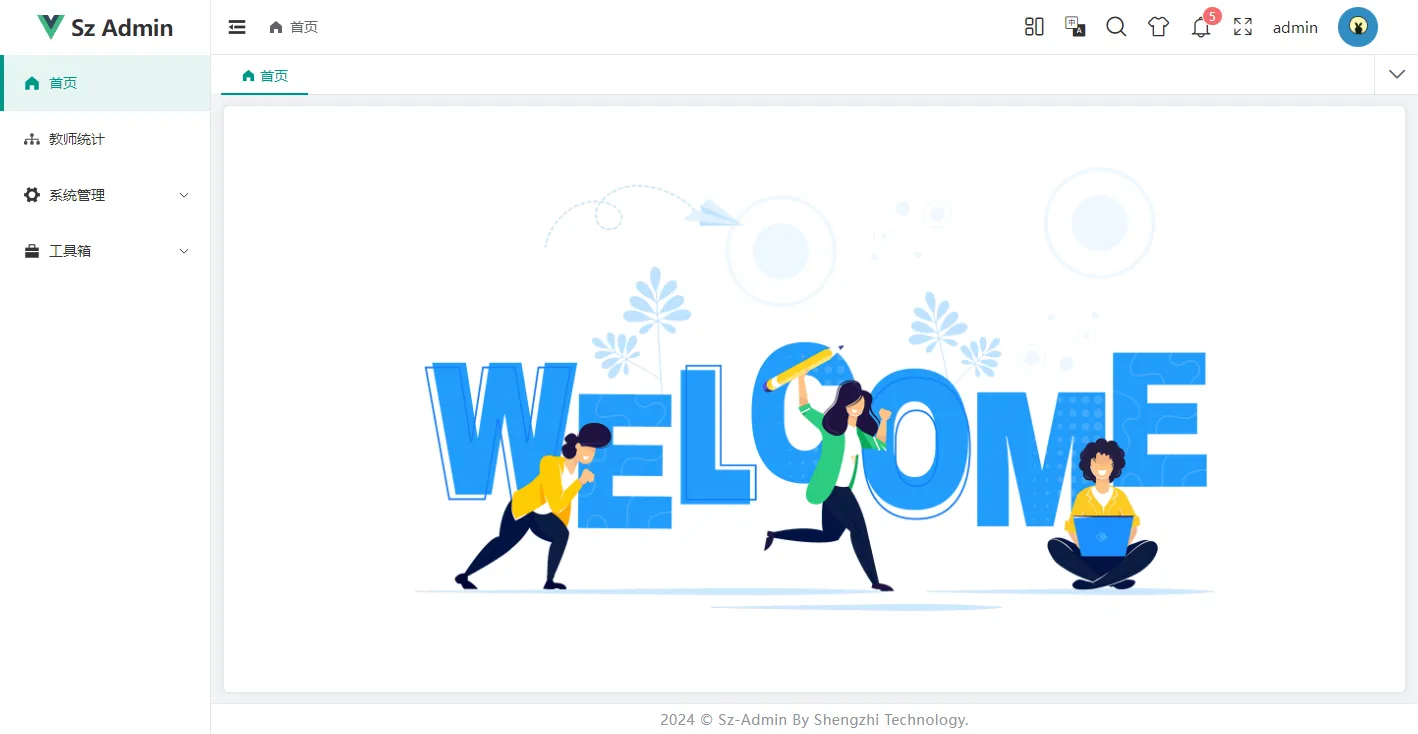 |
 |
 |
 |
 |
 |
 |
 |
 |
 |
 |