`title` is the primary label for the node.
`subtitle` is a secondary label for the node.
`expanded` shows children of the node if true, or hides them if false. Defaults to false.
`children` is an array of child nodes belonging to the node.
**Example**: `[{title: 'main', subtitle: 'sub'}, { title: 'value2', expanded: true, children: [{ title: 'value3') }] }]` |
| onChange
_(required)_ | func | Called whenever tree data changed. Just like with React input elements, you have to update your own component's data to see the changes reflected.
`( treeData: object[] ): void`
|
| getNodeKey
_(recommended)_ | func | Specify the unique key used to identify each node and generate the `path` array passed in callbacks. With a setting of `getNodeKey={({ node }) => node.id}`, for example, in callbacks this will let you easily determine that the node with an `id` of `35` is (or has just become) a child of the node with an `id` of `12`, which is a child of ... and so on. It uses [`defaultGetNodeKey`](https://github.com/frontend-collective/react-sortable-tree/blob/master/src/utils/default-handlers.js) by default, which returns the index in the tree (omitting hidden nodes).
`({ node: object, treeIndex: number }): string or number`
|
| generateNodeProps | func | Generate an object with additional props to be passed to the node renderer. Use this for adding buttons via the `buttons` key, or additional `style` / `className` settings.
`({ node: object, path: number[] or string[], treeIndex: number, lowerSiblingCounts: number[], isSearchMatch: bool, isSearchFocus: bool }): object`
|
| onMoveNode | func | Called after node move operation.
`({ treeData: object[], node: object, nextParentNode: object, prevPath: number[] or string[], prevTreeIndex: number, nextPath: number[] or string[], nextTreeIndex: number }): void`
|
| onVisibilityToggle | func | Called after children nodes collapsed or expanded.
`({ treeData: object[], node: object, expanded: bool, path: number[] or string[] }): void`
|
| onDragStateChanged | func | Called when a drag is initiated or ended.
`({ isDragging: bool, draggedNode: object }): void`
|
| maxDepth | number | Maximum depth nodes can be inserted at. Defaults to infinite. |
| rowDirection | string | Adds row direction support if set to `'rtl'` Defaults to `'ltr'`. |
| canDrag | func or bool | Return false from callback to prevent node from dragging, by hiding the drag handle. Set prop to `false` to disable dragging on all nodes. Defaults to `true`.
`({ node: object, path: number[] or string[], treeIndex: number, lowerSiblingCounts: number[], isSearchMatch: bool, isSearchFocus: bool }): bool`
|
| canDrop | func | Return false to prevent node from dropping in the given location.
`({ node: object, prevPath: number[] or string[], prevParent: object, prevTreeIndex: number, nextPath: number[] or string[], nextParent: object, nextTreeIndex: number }): bool`
|
| canNodeHaveChildren | func | Function to determine whether a node can have children, useful for preventing hover preview when you have a `canDrop` condition. Default is set to a function that returns `true`. Functions should be of type `(node): bool`. |
| theme | object | Set an all-in-one packaged appearance for the tree. See the [Themes](#themes) section for more information. |
| searchMethod | func | The method used to search nodes. Defaults to [`defaultSearchMethod`](https://github.com/frontend-collective/react-sortable-tree/blob/master/src/utils/default-handlers.js), which uses the `searchQuery` string to search for nodes with matching `title` or `subtitle` values. NOTE: Changing `searchMethod` will not update the search, but changing the `searchQuery` will.
`({ node: object, path: number[] or string[], treeIndex: number, searchQuery: any }): bool`
|
| searchQuery | string or any | Used by the `searchMethod` to highlight and scroll to matched nodes. Should be a string for the default `searchMethod`, but can be anything when using a custom search. Defaults to `null`. |
| searchFocusOffset | number | Outline the <`searchFocusOffset`>th node and scroll to it. |
| onlyExpandSearchedNodes | boolean | Only expand the nodes that match searches. Collapses all other nodes. Defaults to `false`. |
| searchFinishCallback | func | Get the nodes that match the search criteria. Used for counting total matches, etc.
`(matches: { node: object, path: number[] or string[], treeIndex: number }[]): void`
|
| dndType | string | String value used by [react-dnd](http://react-dnd.github.io/react-dnd/docs-overview.html) (see overview at the link) for dropTargets and dragSources types. If not set explicitly, a default value is applied by react-sortable-tree for you for its internal use. **NOTE:** Must be explicitly set and the same value used in order for correct functioning of external nodes |
| shouldCopyOnOutsideDrop | func or bool | Return true, or a callback returning true, and dropping nodes to react-dnd drop targets outside of the tree will not remove them from the tree. Defaults to `false`.
`({ node: object, prevPath: number[] or string[], prevTreeIndex: number, }): bool`
|
| reactVirtualizedListProps | object | Custom properties to hand to the internal [react-virtualized List](https://github.com/bvaughn/react-virtualized/blob/master/docs/List.md#prop-types) |
| style | object | Style applied to the container wrapping the tree (style defaults to `{height: '100%'}`) |
| innerStyle | object | Style applied to the inner, scrollable container (for padding, etc.) |
| className | string | Class name for the container wrapping the tree |
| rowHeight | number or func | Used by react-sortable-tree. Defaults to `62`. Either a fixed row height (number) or a function that returns the height of a row given its index: `({ treeIndex: number, node: object, path: number[] or string[] }): number` |
| slideRegionSize | number | Size in px of the region near the edges that initiates scrolling on dragover. Defaults to `100`. |
| scaffoldBlockPxWidth | number | The width of the blocks containing the lines representing the structure of the tree. Defaults to `44`. |
| isVirtualized | bool | Set to false to disable virtualization. Defaults to `true`. **NOTE**: Auto-scrolling while dragging, and scrolling to the `searchFocusOffset` will be disabled. |
| nodeContentRenderer | any | Override the default component ([`NodeRendererDefault`](https://github.com/frontend-collective/react-sortable-tree/blob/master/src/node-renderer-default.js)) for rendering nodes (but keep the scaffolding generator). This is a last resort for customization - most custom styling should be able to be solved with `generateNodeProps`, a `theme` or CSS rules. If you must use it, is best to copy the component in `node-renderer-default.js` to use as a base, and customize as needed. |
| placeholderRenderer | any | Override the default placeholder component ([`PlaceholderRendererDefault`](https://github.com/frontend-collective/react-sortable-tree/blob/master/src/placeholder-renderer-default.js)) which is displayed when the tree is empty. This is an advanced option, and in most cases should probably be solved with a `theme` or custom CSS instead. |
## Data Helper Functions
Need a hand turning your flat data into nested tree data?
Want to perform add/remove operations on the tree data without creating your own recursive function?
Check out the helper functions exported from [`tree-data-utils.js`](https://github.com/frontend-collective/react-sortable-tree/blob/master/src/utils/tree-data-utils.js).
- [**`getTreeFromFlatData`**](https://github.com/frontend-collective/react-sortable-tree/blob/master/src/utils/tree-data-utils.js#L972): Convert flat data (like that from a database) into nested tree data.
- [**`getFlatDataFromTree`**](https://github.com/frontend-collective/react-sortable-tree/blob/master/src/utils/tree-data-utils.js#L939): Convert tree data back to flat data.
- [**`addNodeUnderParent`**](https://github.com/frontend-collective/react-sortable-tree/blob/master/src/utils/tree-data-utils.js#L612): Add a node under the parent node at the given path.
- [**`removeNode`**](https://github.com/frontend-collective/react-sortable-tree/blob/master/src/utils/tree-data-utils.js#L533): For a given path, get the node at that path, treeIndex, and the treeData with that node removed.
- [**`removeNodeAtPath`**](https://github.com/frontend-collective/react-sortable-tree/blob/master/src/utils/tree-data-utils.js#L505): For a given path, remove the node and return the treeData.
- [**`changeNodeAtPath`**](https://github.com/frontend-collective/react-sortable-tree/blob/master/src/utils/tree-data-utils.js#L409): Modify the node object at the given path.
- [**`map`**](https://github.com/frontend-collective/react-sortable-tree/blob/master/src/utils/tree-data-utils.js#L359): Perform a change on every node in the tree.
- [**`walk`**](https://github.com/frontend-collective/react-sortable-tree/blob/master/src/utils/tree-data-utils.js#L326): Visit every node in the tree in order.
- [**`getDescendantCount`**](https://github.com/frontend-collective/react-sortable-tree/blob/master/src/utils/tree-data-utils.js#L60): Count how many descendants this node has.
- [**`getVisibleNodeCount`**](https://github.com/frontend-collective/react-sortable-tree/blob/master/src/utils/tree-data-utils.js#L248): Count how many visible descendants this node has.
- [**`getVisibleNodeInfoAtIndex`**](https://github.com/frontend-collective/react-sortable-tree/blob/master/src/utils/tree-data-utils.js#L286): Get the
th visible node in the tree data.
- [**`toggleExpandedForAll`**](https://github.com/frontend-collective/react-sortable-tree/blob/master/src/utils/tree-data-utils.js#L389): Expand or close every node in the tree.
- [**`getNodeAtPath`**](https://github.com/frontend-collective/react-sortable-tree/blob/master/src/utils/tree-data-utils.js#L572): Get the node at the input path.
- [**`insertNode`**](https://github.com/frontend-collective/react-sortable-tree/blob/master/src/utils/tree-data-utils.js#L878): Insert the input node at the specified depth and minimumTreeIndex.
- [**`find`**](https://github.com/frontend-collective/react-sortable-tree/blob/master/src/utils/tree-data-utils.js#L1070): Find nodes matching a search query in the tree.
- [**`isDescendant`**](https://github.com/frontend-collective/react-sortable-tree/blob/master/src/utils/tree-data-utils.js#L1020): Check if a node is a descendant of another node.
- [**`getDepth`**](https://github.com/frontend-collective/react-sortable-tree/blob/master/src/utils/tree-data-utils.js#L1038): Get the longest path in the tree.
## Themes
Using the `theme` prop along with an imported theme module, you can easily override the default appearance with another standard one.
### Featured themes
|  |  |
|  |
| :----------------------------------------------------------------------------------------------------------------------------------------------------------------------: | :------------------------------------------------------------------------------------------------------------------------------------------------------------------------: | :--------------------------------------------------------------------------------------------------------------------------------------------------: |
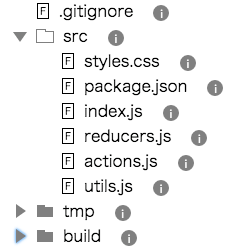
| **File Explorer** | **Full Node Drag** | **Minimalistic theme inspired from MATERIAL UI** |
| react-sortable-tree-theme-file-explorer | react-sortable-tree-theme-full-node-drag | react-sortable-tree-theme-minimal |
| [Github](https://github.com/frontend-collective/react-sortable-tree-theme-file-explorer) \| [NPM](https://www.npmjs.com/package/react-sortable-tree-theme-file-explorer) | [Github](https://github.com/frontend-collective/react-sortable-tree-theme-full-node-drag) \| [NPM](https://www.npmjs.com/package/react-sortable-tree-theme-full-node-drag) | [Github](https://github.com/lifejuggler/react-sortable-tree-theme-minimal) \| [NPM](https://www.npmjs.com/package/react-sortable-tree-theme-minimal) |
**Help Wanted** - As the themes feature has just been enabled, there are very few (only _two_ at the time of this writing) theme modules available. If you've customized the appearance of your tree to be especially cool or easy to use, I would be happy to feature it in this readme with a link to the Github repo and NPM page if you convert it to a theme. You can use my [file explorer theme repo](https://github.com/frontend-collective/react-sortable-tree-theme-file-explorer) as a template to plug in your own stuff.
## Browser Compatibility
| Browser | Works? |
| :------ | :----- |
| Chrome | Yes |
| Firefox | Yes |
| Safari | Yes |
| IE 11 | Yes |
## Troubleshooting
### If it throws "TypeError: fn is not a function" errors in production
This issue may be related to an ongoing incompatibility between UglifyJS and Webpack's behavior. See an explanation at [create-react-app#2376](https://github.com/facebookincubator/create-react-app/issues/2376).
The simplest way to mitigate this issue is by adding `comparisons: false` to your Uglify config as seen here: https://github.com/facebookincubator/create-react-app/pull/2379/files
### If it doesn't work with other components that use react-dnd
react-dnd only allows for one DragDropContext at a time (see: https://github.com/gaearon/react-dnd/issues/186). To get around this, you can import the context-less tree component via `SortableTreeWithoutDndContext`.
```js
// before
import SortableTree from 'react-sortable-tree';
// after
import { SortableTreeWithoutDndContext as SortableTree } from 'react-sortable-tree';
```
## Contributing
Please read the [Code of Conduct](CODE_OF_CONDUCT.md). I actively welcome pull requests :)
After cloning the repository and running `npm install` inside, you can use the following commands to develop and build the project.
```sh
# Starts a webpack dev server that hosts a demo page with the component.
# It uses react-hot-loader so changes are reflected on save.
npm start
# Start the storybook, which has several different examples to play with.
# Also hot-reloaded.
npm run storybook
# Runs the library tests
npm test
# Lints the code with eslint
npm run lint
# Lints and builds the code, placing the result in the dist directory.
# This build is necessary to reflect changes if you're
# `npm link`-ed to this repository from another local project.
npm run build
```
Pull requests are welcome!
## License
MIT
|
| :----------------------------------------------------------------------------------------------------------------------------------------------------------------------: | :------------------------------------------------------------------------------------------------------------------------------------------------------------------------: | :--------------------------------------------------------------------------------------------------------------------------------------------------: |
| **File Explorer** | **Full Node Drag** | **Minimalistic theme inspired from MATERIAL UI** |
| react-sortable-tree-theme-file-explorer | react-sortable-tree-theme-full-node-drag | react-sortable-tree-theme-minimal |
| [Github](https://github.com/frontend-collective/react-sortable-tree-theme-file-explorer) \| [NPM](https://www.npmjs.com/package/react-sortable-tree-theme-file-explorer) | [Github](https://github.com/frontend-collective/react-sortable-tree-theme-full-node-drag) \| [NPM](https://www.npmjs.com/package/react-sortable-tree-theme-full-node-drag) | [Github](https://github.com/lifejuggler/react-sortable-tree-theme-minimal) \| [NPM](https://www.npmjs.com/package/react-sortable-tree-theme-minimal) |
**Help Wanted** - As the themes feature has just been enabled, there are very few (only _two_ at the time of this writing) theme modules available. If you've customized the appearance of your tree to be especially cool or easy to use, I would be happy to feature it in this readme with a link to the Github repo and NPM page if you convert it to a theme. You can use my [file explorer theme repo](https://github.com/frontend-collective/react-sortable-tree-theme-file-explorer) as a template to plug in your own stuff.
## Browser Compatibility
| Browser | Works? |
| :------ | :----- |
| Chrome | Yes |
| Firefox | Yes |
| Safari | Yes |
| IE 11 | Yes |
## Troubleshooting
### If it throws "TypeError: fn is not a function" errors in production
This issue may be related to an ongoing incompatibility between UglifyJS and Webpack's behavior. See an explanation at [create-react-app#2376](https://github.com/facebookincubator/create-react-app/issues/2376).
The simplest way to mitigate this issue is by adding `comparisons: false` to your Uglify config as seen here: https://github.com/facebookincubator/create-react-app/pull/2379/files
### If it doesn't work with other components that use react-dnd
react-dnd only allows for one DragDropContext at a time (see: https://github.com/gaearon/react-dnd/issues/186). To get around this, you can import the context-less tree component via `SortableTreeWithoutDndContext`.
```js
// before
import SortableTree from 'react-sortable-tree';
// after
import { SortableTreeWithoutDndContext as SortableTree } from 'react-sortable-tree';
```
## Contributing
Please read the [Code of Conduct](CODE_OF_CONDUCT.md). I actively welcome pull requests :)
After cloning the repository and running `npm install` inside, you can use the following commands to develop and build the project.
```sh
# Starts a webpack dev server that hosts a demo page with the component.
# It uses react-hot-loader so changes are reflected on save.
npm start
# Start the storybook, which has several different examples to play with.
# Also hot-reloaded.
npm run storybook
# Runs the library tests
npm test
# Lints the code with eslint
npm run lint
# Lints and builds the code, placing the result in the dist directory.
# This build is necessary to reflect changes if you're
# `npm link`-ed to this repository from another local project.
npm run build
```
Pull requests are welcome!
## License
MIT
