# github-activity
**Repository Path**: mirrors_nikhita/github-activity
## Basic Information
- **Project Name**: github-activity
- **Description**: A widget for displaying GitHub activity for a user.
- **Primary Language**: Unknown
- **License**: MIT
- **Default Branch**: master
- **Homepage**: None
- **GVP Project**: No
## Statistics
- **Stars**: 0
- **Forks**: 0
- **Created**: 2020-08-19
- **Last Updated**: 2026-08-01
## Categories & Tags
**Categories**: Uncategorized
**Tags**: None
## README
# GitHub Activity Stream Widget
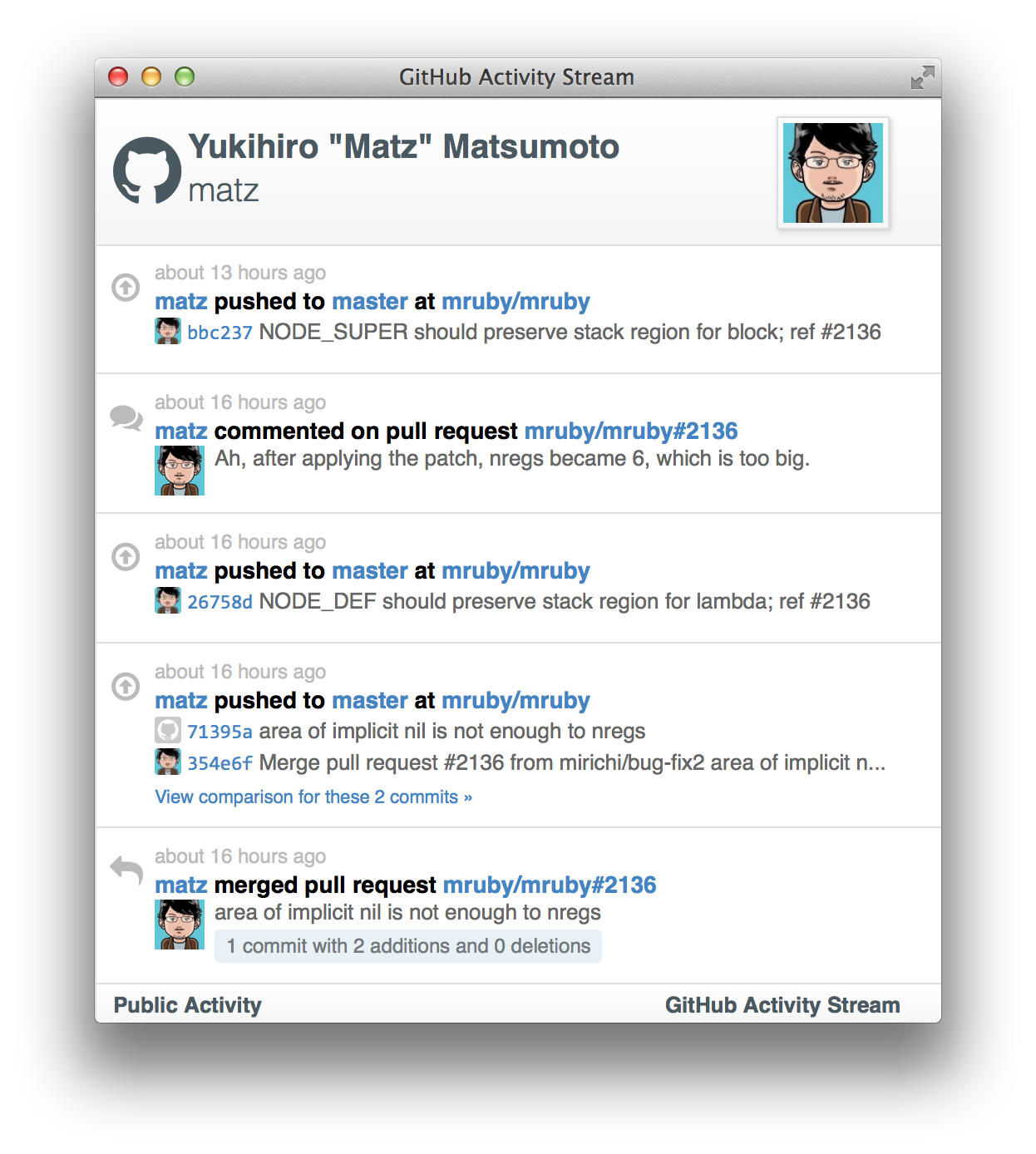
This is a small Javascript plugin that creates a stream of your recent GitHub activity. It displays the user's name, username, photo, and a list of each individual activity type. Click [here](https://caseyscarborough.github.io/github-activity) for a demo.
A sample image of the activity stream is shown below:
## Dependencies
The two dependencies for the plugin are the [Mustache](https://github.com/janl/mustache.js/) templating library and [Octicons](https://octicons.github.com/) (if you want the icons to show). You can include these along with the scripts for the plugin in the head of your page with the following HTML:
```html
```
The files can be downloaded from the [releases page](https://github.com/caseyscarborough/github-activity/releases).
If you'd like to build the files yourself:
```bash
# Ensure you have grunt and bower installed
npm install bower
npm install grunt-cli
# Clone the repository
git clone https://github.com/caseyscarborough/github-activity.git
cd github-activity
# Install dependencies
bower install
# Build dist
grunt
```
## Usage
To use the library, begin by creating a new div with an id in the body of your page:
```html
```
Then call the feed method via Javascript:
```js
GitHubActivity.feed({
username: "your-username",
repository: "your-repo", // optional
selector: "#feed",
limit: 20 // optional
});
```
## Credits
* [MD5 Methods](http://www.myersdaily.org/joseph/javascript/md5-text.html)
## Fork and Enjoy
Please feel free to contribute to the application by following the steps below:
1. Fork it
2. Create your feature branch (`git checkout -b my-new-feature`)
3. Commit your changes (`git commit -am 'Add some feature'`)
4. Push to the branch (`git push origin my-new-feature`)
5. Create new Pull Request