# os_monitor
**Repository Path**: opsdev007/os_monitor
## Basic Information
- **Project Name**: os_monitor
- **Description**: No description available
- **Primary Language**: Unknown
- **License**: Not specified
- **Default Branch**: master
- **Homepage**: None
- **GVP Project**: No
## Statistics
- **Stars**: 0
- **Forks**: 0
- **Created**: 2020-04-10
- **Last Updated**: 2020-12-19
## Categories & Tags
**Categories**: Uncategorized
**Tags**: None
## README
# os_monitor 傻瓜式免安装-Centos操作系统资源监控工具
# 简介:
一款轻量级os系统可视化监控指标工具,采集的指标有cpu idle空闲使用率,cpu load负载使用率,内存使用率,磁盘空间使用率。
工作流程:Agent端从Server端os_status_info表中,获取被监控主机的各项系统阀值,采集客户端主机资源信息完成入库和报警,Server端用来监控客户端主机ssh是否存活和页面信息展示,可实现微信和邮件报警。
只需一条SQL,简单的配置,即可完成部署。
-----------------------------------------------------------------------------
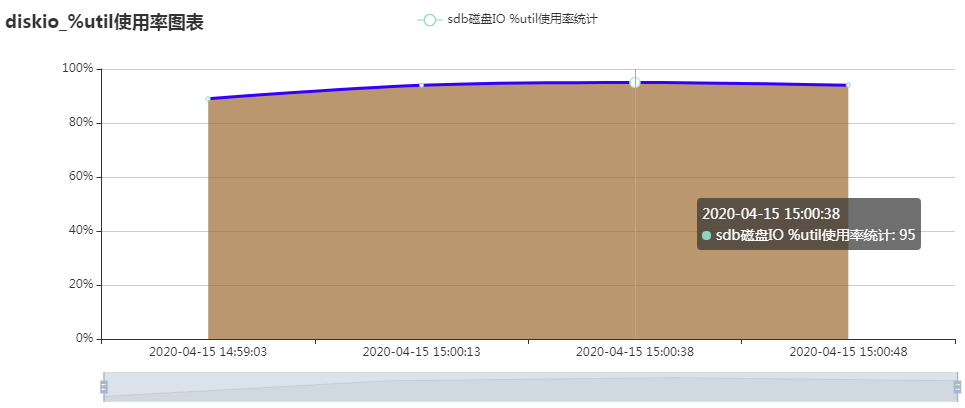
# 2020-04-10更新 增加时间间隔曲线图显示
-----------------------------------------------------------------------------
1、Dashboard首页
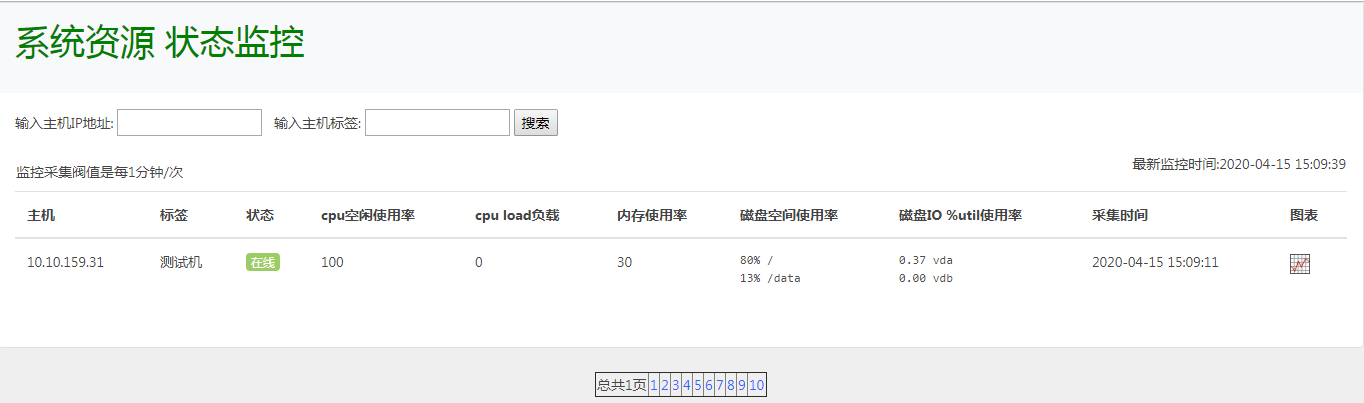
点击图表,可以查看历史曲线图
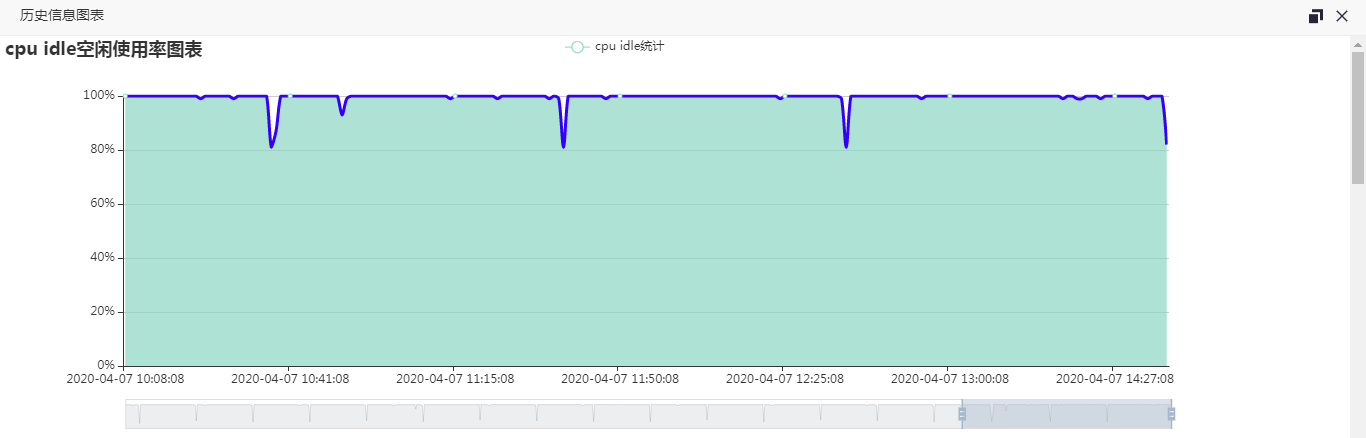
2、cpu idle空闲使用率
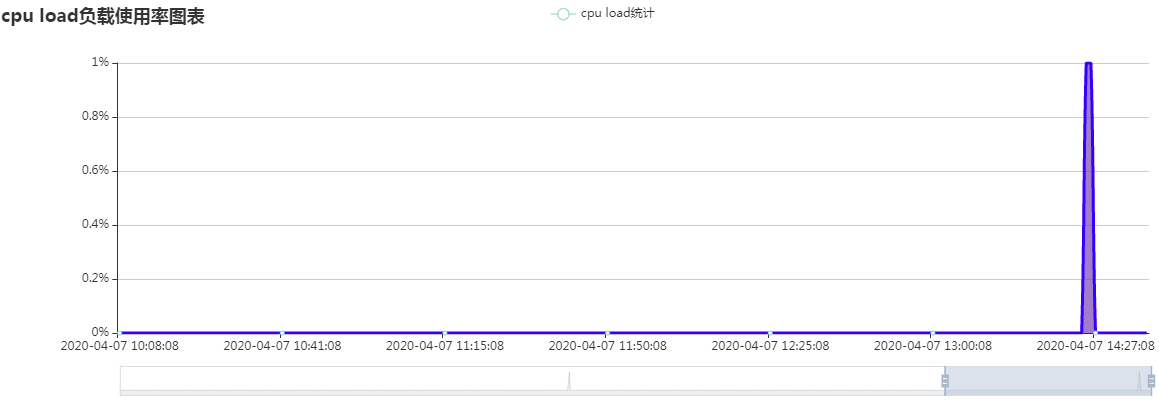
3、cpu load负载使用率
4、内存使用率
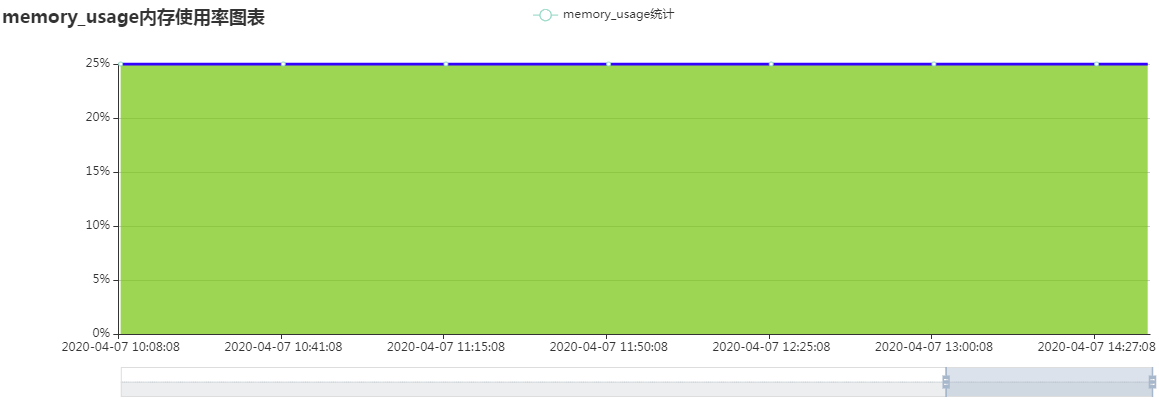
5、磁盘空间使用率
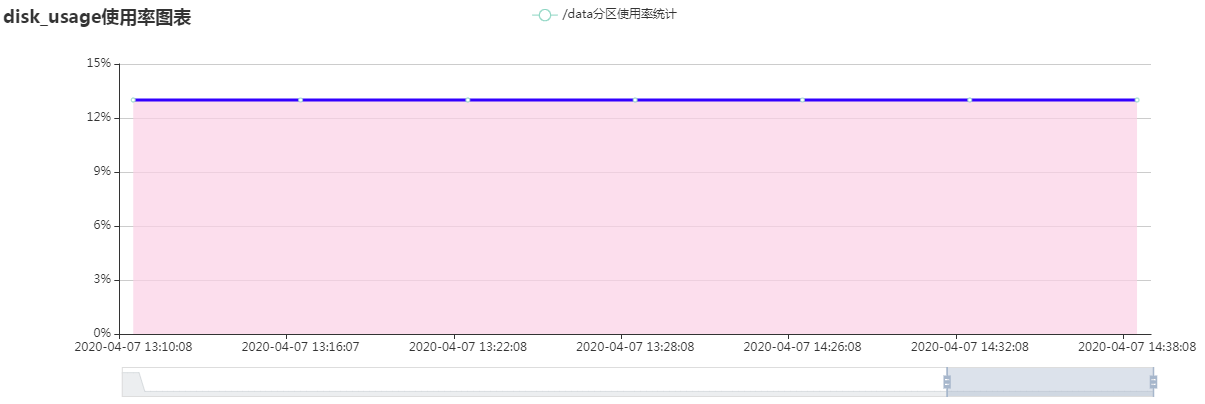
6、微信报警
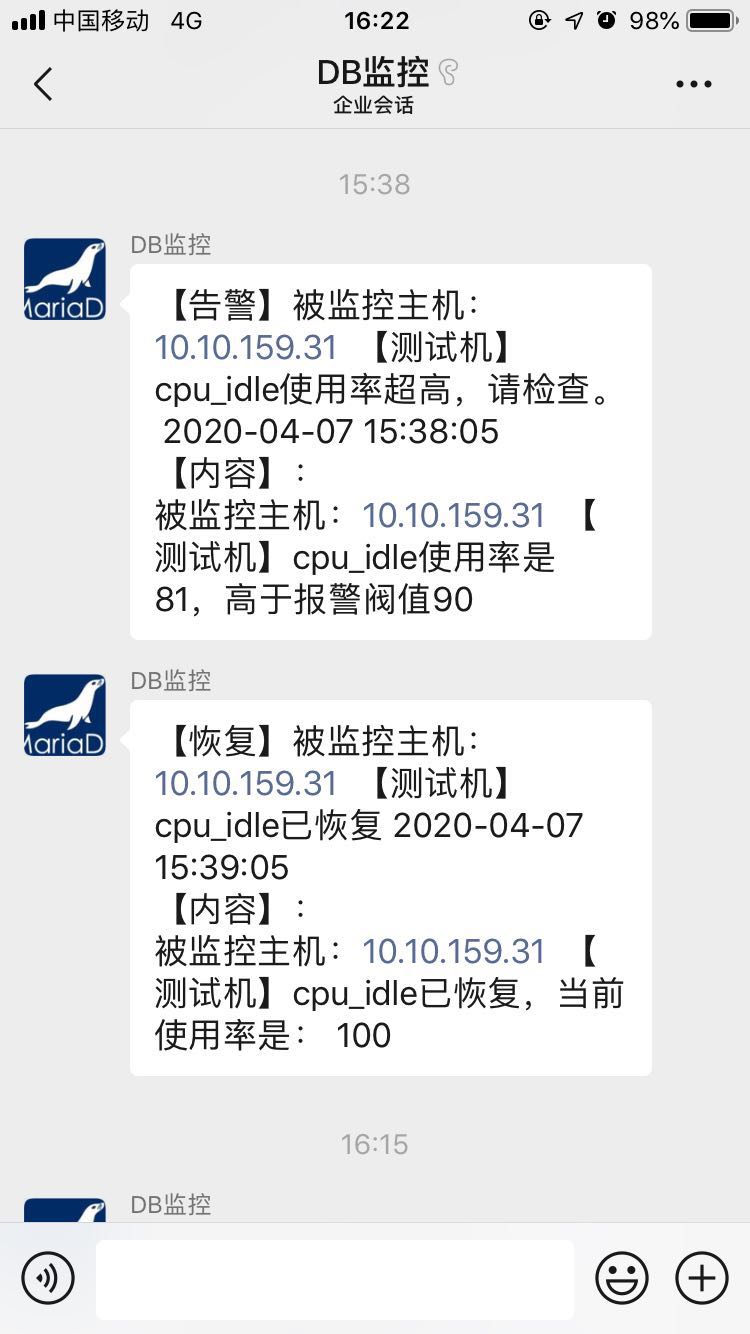
### 一、环境搭建
【监控管理端】
# yum install httpd mysql php php-mysql -y
# yum -y install perl-IO-Socket-SSL openssl-perl openssl-devel python-simplejson -y
# service httpd restart
【被监控端】
# yum install php php-mysql -y
# yum -y install perl-IO-Socket-SSL openssl-perl openssl-devel python-simplejson -y
### 二、os_monitor监控工具搭建
【监控管理端】
1、把https://github.com/hcymysql/os_monitor/archive/master.zip
安装包解压缩到/var/www/html/目录下
# cd /var/www/html/os_monitor/
# chmod 755 ./mail/sendEmail
# chmod 755 ./weixin/wechat.py
(注:邮件和微信报警调用的第三方工具,所以这里要赋予可执行权限755)
2、导入os_monitor监控工具表结构(os_monitor_db库)
# cd /var/www/html/os_monitor/
# mysql -uroot -p123456 < os_monitor_schema.sql
3、录入被监控主机的信息
mysql> insert into os_status_info(host,ssh_port,tag,monitor,send_mail,
send_mail_to_list,send_weixin,send_weixin_to_list,threshold_alarm_cpu_idle,
threshold_alarm_cpu_load,threshold_alarm_memory_usage,threshold_alarm_disk_free)
values ('127.0.0.1',22,'测试机',1,1,'hechunyang@163.com,hechunyang@126.com',1,'hechunyang',60,6,80,85);
注,以下字段可以按照需求变更:
host字段含义:输入被监控主机的IP地址
ssh_port字段含义:输入被监控主机的ssh端口
tag字段含义:输入被监控主机的名字
monitor字段含义:0为关闭监控(也不采集数据,直接跳过);1为开启监控(采集数据)
send_mail字段含义:0为关闭邮件报警;1为开启邮件报警
send_mail_to_list字段含义:邮件人列表,多个邮件用逗号分隔
send_weixin字段含义:0为关闭微信报警;1为开启微信报警
send_weixin_to_list字段含义:微信公众号
threshold_alarm_cpu_idle字段含义:设置空闲cpu使用率阀值,即CPU处于空闲状态时间比例
threshold_alarm_cpu_load字段含义:设置cpu load负载使用率阀值
threshold_alarm_memory_usage字段含义:设置memory内存使用率阀值
threshold_alarm_disk_free字段含义:设置磁盘空间使用率阀值
4、修改conn.php配置文件
# vim /var/www/html/os_monitor/conn.php
$conn = mysqli_connect("127.0.0.1","admin","hechunyang","os_monitor_db","3306") or die("数据库链接错误" . PHP_EOL
.mysqli_connect_error());
改成你的os_monitor监控工具表结构(os_monitor_db库)连接信息
5、修改邮件报警信息
# cd /var/www/html/os_monitor/mail/
# vim mail.php
system("./mail/sendEmail -f chunyang_he@139.com -t '{$this->send_mail_to_list}' -s
smtp.139.com:25 -u '{$this->alarm_subject}' -o message-charset=utf8 -o message-content-type=html -m '报警信息:
{$this->alarm_info}' -xu chunyang_he@139.com -xp
'123456' -o tls=no");
改成你的发件人地址,账号密码,里面的变量不用修改。
6、修改微信报警信息
# cd /var/www/html/os_monitor/weixin/
# vim wechat.py
微信企业号设置移步
https://github.com/X-Mars/Zabbix-Alert-WeChat/blob/master/README.md 看此教程配置。
7、crontab定时任务每分钟抓取一次
*/1 * * * * cd /var/www/html/os_monitor/; /usr/bin/php /var/www/html/os_monitor/check_os_server.php > /dev/null 2 >&1
*/1 * * * * cd /var/www/html/os_monitor/; /usr/bin/php /var/www/html/os_monitor/check_os_agent.php > /dev/null 2 >&1
8、更改页面自动刷新频率
# vim os_status_monitor.php
http-equiv="refresh" content="600"
默认页面每600秒自动刷新一次。
9、页面访问
http://yourIP/os_monitor/os_status_monitor.php
加一个超链接,可方便地接入你们的自动化运维平台里。
--------------------------------------------------
【被监控端Agent】
需要check_os_agent.php和conn.php文件,以及mail和weixin目录文件
crontab定时任务每分钟抓取一次
*/1 * * * * cd /usr/local/os_monitor_agent/; /usr/bin/php /usr/local/os_monitor_agent/check_os_agent.php > /dev/null 2 >&1
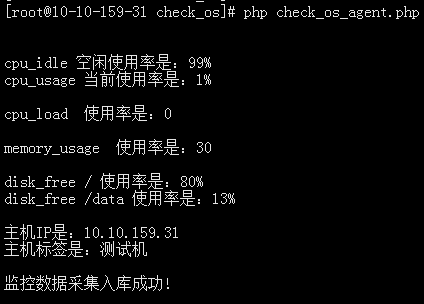
注意:conn.php文件要和监控管理端的信息内容一致。