# openvino_notebooks
**Repository Path**: tmycode/openvino_notebooks
## Basic Information
- **Project Name**: openvino_notebooks
- **Description**: openvino openvino
- **Primary Language**: Unknown
- **License**: Apache-2.0
- **Default Branch**: 2021.4
- **Homepage**: None
- **GVP Project**: No
## Statistics
- **Stars**: 2
- **Forks**: 0
- **Created**: 2023-06-28
- **Last Updated**: 2023-07-17
## Categories & Tags
**Categories**: Uncategorized
**Tags**: None
## README
[English](README.md) | 简体中文
# 📚 OpenVINO Notebooks
[](LICENSE)


在这里,我们提供了一些可以运行的Jupyter\* notebooks,用于学习和尝试使用OpenVINO™开发套件。这些notebooks旨在向各位开发者提供OpenVINO基础知识的介绍,并教会大家如何利用我们的API来优化深度学习推理。
## 📖 所包含的内容
带有标志的notebooks可以无需安装,直接运行。[Binder](https://mybinder.org/)是一个资源有限的在线服务。为了获得最好的性能,我们建议还是按照我们以下的安装指南[Installation Guide](#-installation-guide),安装完成后,在本地运行notebooks。
### 让我们开始吧
这个简短的教程将指导我们如果通过Openvino的Python API进行推理
| Notebook | 说明 | 预览 |
| :-------------------------------------------------------------------------------------------------------------------------------------------------------------------------------------------------------------------------------------------------------------------------------------------------------------------------------------: | :-------------------------------------------------------------------------------: | :------------------------------------------------------------------------------------------------------------------------------------------------------------------------------------------------------------------------------------------------------: |
| [001-hello-world](notebooks/001-hello-world/)
[](https://mybinder.org/v2/gh/openvinotoolkit/openvino_notebooks/HEAD?filepath=notebooks%2F001-hello-world%2F001-hello-world.ipynb) | 14行代码实现视觉分类检测应用 | 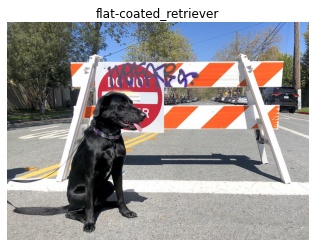 |
| [002-openvino-api](notebooks/002-openvino-api/)
|
| [002-openvino-api](notebooks/002-openvino-api/)
[](https://mybinder.org/v2/gh/openvinotoolkit/openvino_notebooks/HEAD?filepath=notebooks%2F002-openvino-api%2F002-openvino-api.ipynb) | Openvino python api介绍 |  |
| [003-hello-segmentation](notebooks/003-hello-segmentation/)
|
| [003-hello-segmentation](notebooks/003-hello-segmentation/)
[](https://mybinder.org/v2/gh/openvinotoolkit/openvino_notebooks/HEAD?filepath=notebooks%2F003-hello-segmentation%2F003-hello-segmentation.ipynb) | 基于Openvino的视觉语义分割应用 |  |
| [004-hello-detection](notebooks/004-hello-detection/)
|
| [004-hello-detection](notebooks/004-hello-detection/)
[](https://mybinder.org/v2/gh/openvinotoolkit/openvino_notebooks/HEAD?filepath=notebooks%2F004-hello-detection%2F004-hello-detection.ipynb) | 基于Openvino的文字识别应用 |  |
### 转换 & 优化
这个教程将说明如何利用Openvino工具来量化和优化一个深度学习模型
| Notebook | 说明 | 预览 |
| :-------------------------------------------------------------------------------------------------------------------------------------------------------------------------------------------------------------------------------------------------------------------------------------------------------------------------------------: | :-------------------------------------------------------------------------------: | :------------------------------------------------------------------------------------------------------------------------------------------------------------------------------------------------------------------------------------------------------: |
| [101-tensorflow-to-openvino](notebooks/101-tensorflow-to-openvino/)
|
### 转换 & 优化
这个教程将说明如何利用Openvino工具来量化和优化一个深度学习模型
| Notebook | 说明 | 预览 |
| :-------------------------------------------------------------------------------------------------------------------------------------------------------------------------------------------------------------------------------------------------------------------------------------------------------------------------------------: | :-------------------------------------------------------------------------------: | :------------------------------------------------------------------------------------------------------------------------------------------------------------------------------------------------------------------------------------------------------: |
| [101-tensorflow-to-openvino](notebooks/101-tensorflow-to-openvino/)
[](https://mybinder.org/v2/gh/openvinotoolkit/openvino_notebooks/HEAD?filepath=notebooks%2F101-tensorflow-to-openvino%2F101-tensorflow-to-openvino.ipynb) | 基于Tensorflow预训练模型,实现分类检测部署 |  |
| [102-pytorch-onnx-to-openvino](notebooks/102-pytorch-onnx-to-openvino/)
|
| [102-pytorch-onnx-to-openvino](notebooks/102-pytorch-onnx-to-openvino/)
[](https://mybinder.org/v2/gh/openvinotoolkit/openvino_notebooks/HEAD?filepath=notebooks%2F102-pytorch-onnx-to-openvino%2F102-pytorch-onnx-to-openvino.ipynb) | 基于Pytorch预训练模型,实现语义分割部署 |  |
| [103-paddle-onnx-to-openvino](notebooks/103-paddle-onnx-to-openvino/)
|
| [103-paddle-onnx-to-openvino](notebooks/103-paddle-onnx-to-openvino/)
[](https://mybinder.org/v2/gh/openvinotoolkit/openvino_notebooks/HEAD?filepath=notebooks%2F103-paddle-onnx-to-openvino%2F103-paddle-onnx-to-openvino-classification.ipynb) | 基于PadlePadle预训练模型,实现分类检测部署 |  |
| [104-model-tools](notebooks/104-model-tools/)
|
| [104-model-tools](notebooks/104-model-tools/)
[](https://mybinder.org/v2/gh/openvinotoolkit/openvino_notebooks/HEAD?filepath=notebooks%2F104-model-tools%2F104-model-tools.ipynb) | Openvino模型的下载与评估 | |
| [105-language-quantize-bert](notebooks/105-language-quantize-bert/) | BERT预训练模型的优化与量化 ||
| [110-ct-segmentation-quantize](notebooks/110-ct-segmentation-quantize/) | 量化肾脏分割模型并进行实时推理展示 ||
| [111-detection-quantization](notebooks/111-detection-quantization/)
[](https://mybinder.org/v2/gh/openvinotoolkit/openvino_notebooks/HEAD?filepath=notebooks%2F111-detection-quantization%2F111-detection-quantization.ipynb) | 量化一个目标检测模型 | |
| [112-pytorch-post-training-quantization-nncf](notebooks/112-pytorch-post-training-quantization-nncf/) | 利用神经网络压缩框架(NNCF)在后训练模式下来量化PyTorch模型(无模型微调) ||
| [113-image-classification-quantization](notebooks/113-image-classification-quantization/) | 量化mobilenet图像分类 | |
### 模型演示
特定模型的推理示例
| Notebook | 说明 | 预览 |
| :-------------------------------------------------------------------------------------------------------------------------------------------------------------------------------------------------------------------------------------------------------------------------------------------------------------------------------------: | :-------------------------------------------------------------------------------: | :------------------------------------------------------------------------------------------------------------------------------------------------------------------------------------------------------------------------------------------------------: |
| [201-vision-monodepth](notebooks/201-vision-monodepth/)
[](https://mybinder.org/v2/gh/openvinotoolkit/openvino_notebooks/HEAD?filepath=notebooks%2F201-vision-monodepth%2F201-vision-monodepth.ipynb) | 单目深度检测应用实现 |  |
| [202-vision-superresolution-image](notebooks/202-vision-superresolution/)
|
| [202-vision-superresolution-image](notebooks/202-vision-superresolution/)
[](https://mybinder.org/v2/gh/openvinotoolkit/openvino_notebooks/HEAD?filepath=notebooks%2F202-vision-superresolution%2F202-vision-superresolution-image.ipynb) | 图像超分辨率应用实现 |  → |
| [202-vision-superresolution-video](notebooks/202-vision-superresolution/)
→ |
| [202-vision-superresolution-video](notebooks/202-vision-superresolution/)
[](https://mybinder.org/v2/gh/openvinotoolkit/openvino_notebooks/HEAD?filepath=notebooks%2F202-vision-superresolution%2F202-vision-superresolution-video.ipynb) | 视频超分辨率应用实现 |  → |
| [205-vision-background-removal](notebooks/205-vision-background-removal/)
→ |
| [205-vision-background-removal](notebooks/205-vision-background-removal/)
[](https://mybinder.org/v2/gh/openvinotoolkit/openvino_notebooks/HEAD?filepath=notebooks%2F205-vision-background-removal%2F205-vision-background-removal.ipynb) | 图像背景替换的应用实现 |  |
| [206-vision-paddlegan-anime](notebooks/206-vision-paddlegan-anime/)
|
| [206-vision-paddlegan-anime](notebooks/206-vision-paddlegan-anime/)
[](https://mybinder.org/v2/gh/openvinotoolkit/openvino_notebooks/HEAD?filepath=notebooks%2F206-vision-paddlegan-anime%2F206-vision-paddlegan-anime.ipynb) | 基于GAN的图片风格转换的应用实现 |  →
→ |
| [207-vision-paddlegan-superresolution](notebooks/207-vision-paddlegan-superresolution/)
|
| [207-vision-paddlegan-superresolution](notebooks/207-vision-paddlegan-superresolution/)
[](https://mybinder.org/v2/gh/openvinotoolkit/openvino_notebooks/HEAD?filepath=notebooks%2F207-vision-paddlegan-superresolution%2F207-vision-paddlegan-superresolution.ipynb)| 基于GAN的图像超分辨率应用实现 | |
| [208-optical-character-recognition](notebooks/208-optical-character-recognition/)
| 文字识别应用实现 |  |
| [209-handwritten-ocr](notebooks/209-handwritten-ocr/)
|
| [209-handwritten-ocr](notebooks/209-handwritten-ocr/)
[](https://mybinder.org/v2/gh/openvinotoolkit/openvino_notebooks/HEAD?filepath=notebooks%2F209-handwritten-ocr%2F209-handwritten-ocr.ipynb) | 手写简体中文及日文文字识别 | 
的人不一了是他有为在责新中任自之我们 |
| [210-ct-scan-live-inference](notebooks/210-ct-scan-live-inference/)
[](https://mybinder.org/v2/gh/openvinotoolkit/openvino_notebooks/HEAD?filepath=notebooks%2F210-ct-scan-live-inference%2F210-ct-scan-live-inference.ipynb)| CT扫描数据分割的实时推理展示 |  |
| [211-speech-to-text](notebooks/211-speech-to-text/)
|
| [211-speech-to-text](notebooks/211-speech-to-text/)
[](https://mybinder.org/v2/gh/openvinotoolkit/openvino_notebooks/HEAD?filepath=notebooks%2F211-speech-to-text%2F211-speech-to-text.ipynb) | 声音到文字的识别模型推理 |  |
| [212-onnx-style-transfer](notebooks/212-onnx-style-transfer/)
|
| [212-onnx-style-transfer](notebooks/212-onnx-style-transfer/)
[](https://mybinder.org/v2/gh/openvinotoolkit/openvino_notebooks/HEAD?filepath=notebooks%2F212-onnx-style-transfer%2F212-onnx-style-transfer.ipynb) | 通过神经风格转换将图像转换为五种不同的风格 |  →
→ |
| [213-question-answering](notebooks/213-question-answering/)
|
| [213-question-answering](notebooks/213-question-answering/)
[](https://mybinder.org/v2/gh/openvinotoolkit/openvino_notebooks/HEAD?filepath=notebooks%2F213-question-answering%2F213-question-answering.ipynb) | 根据语境回答问题 | 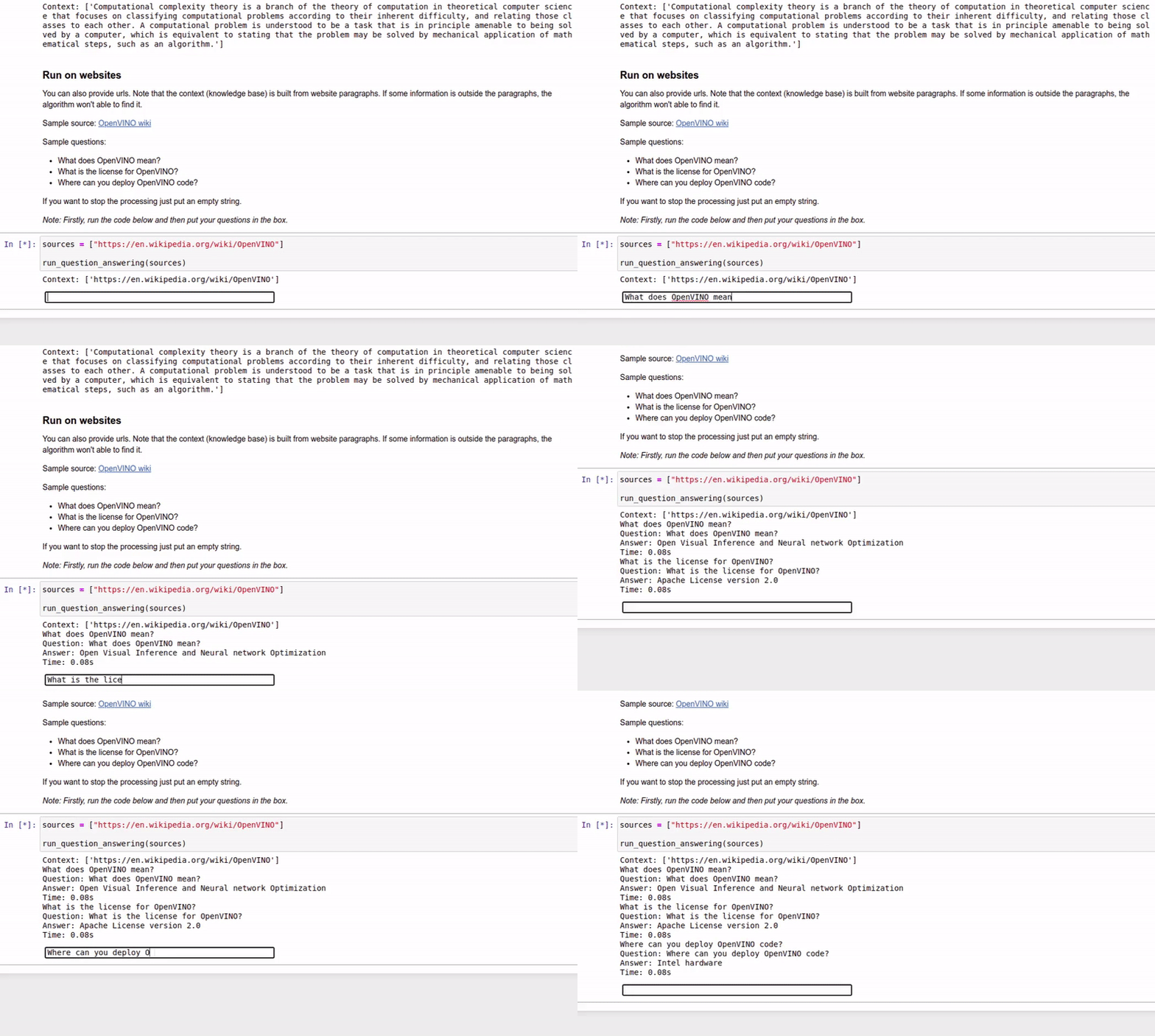 |
### 模型训练
这个教程将说明如何训练一个网络
| Notebook | 说明 | 预览 |
| :-------------------------------------------------------------------------------------------------------------------------------------------------------------------------------------------------------------------------------------------------------------------------------------------------------------------------------------: | :-------------------------------------------------------------------------------: | :------------------------------------------------------------------------------------------------------------------------------------------------------------------------------------------------------------------------------------------------------: |
| [301-tensorflow-training-openvino](notebooks/301-tensorflow-training-openvino/) | 基于Tensorflow 的模型训练及优化部署 |
|
### 模型训练
这个教程将说明如何训练一个网络
| Notebook | 说明 | 预览 |
| :-------------------------------------------------------------------------------------------------------------------------------------------------------------------------------------------------------------------------------------------------------------------------------------------------------------------------------------: | :-------------------------------------------------------------------------------: | :------------------------------------------------------------------------------------------------------------------------------------------------------------------------------------------------------------------------------------------------------: |
| [301-tensorflow-training-openvino](notebooks/301-tensorflow-training-openvino/) | 基于Tensorflow 的模型训练及优化部署 |  |
| [301-tensorflow-training-openvino-pot](notebooks/301-tensorflow-training-openvino/) | 基于POT工具的模型量化 | |
| [302-pytorch-quantization-aware-training](notebooks/302-pytorch-quantization-aware-training) | 基于NNCF工具的模型压缩 | |
| [305-tensorflow-quantization-aware-training](notebooks/305-tensorflow-quantization-aware-training) | 利用神经网络压缩框架(NNCF)来量化tensorflow模型 | |
### 实时推理
基于网络摄像头的实时推理示例
| Notebook | 说明 | 预览 |
| :-------------------------------------------------------------------------------------------------------------------------------------------------------------------------------------------------------------------------------------------------------------------------------------------------------------------------------------: | :-------------------------------------------------------------------------------: | :------------------------------------------------------------------------------------------------------------------------------------------------------------------------------------------------------------------------------------------------------: |
| [401-object-detection-webcam](notebooks/401-object-detection-webcam/) | 针对网络摄像头或视频的目标检测 |
|
| [301-tensorflow-training-openvino-pot](notebooks/301-tensorflow-training-openvino/) | 基于POT工具的模型量化 | |
| [302-pytorch-quantization-aware-training](notebooks/302-pytorch-quantization-aware-training) | 基于NNCF工具的模型压缩 | |
| [305-tensorflow-quantization-aware-training](notebooks/305-tensorflow-quantization-aware-training) | 利用神经网络压缩框架(NNCF)来量化tensorflow模型 | |
### 实时推理
基于网络摄像头的实时推理示例
| Notebook | 说明 | 预览 |
| :-------------------------------------------------------------------------------------------------------------------------------------------------------------------------------------------------------------------------------------------------------------------------------------------------------------------------------------: | :-------------------------------------------------------------------------------: | :------------------------------------------------------------------------------------------------------------------------------------------------------------------------------------------------------------------------------------------------------: |
| [401-object-detection-webcam](notebooks/401-object-detection-webcam/) | 针对网络摄像头或视频的目标检测 | 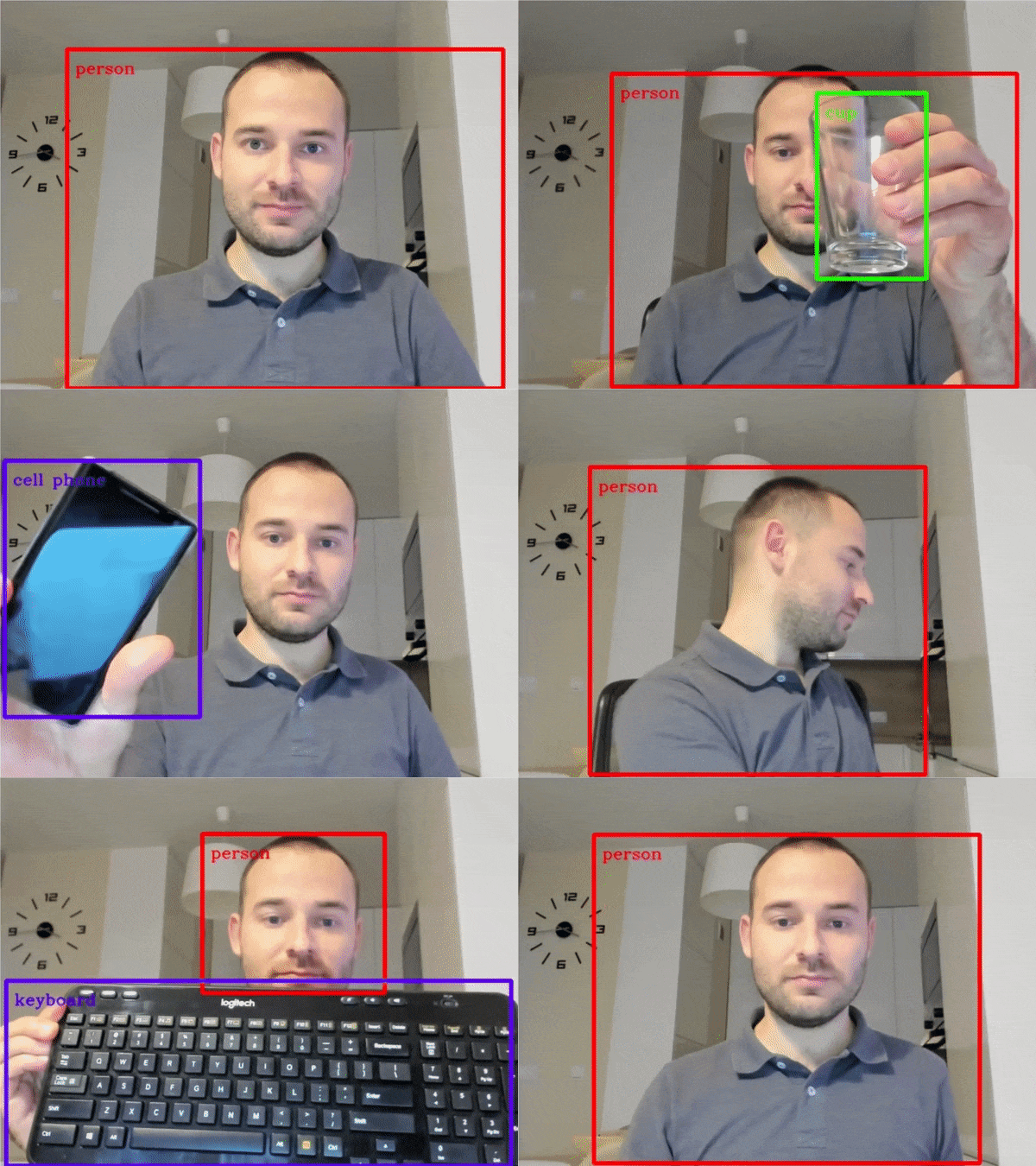 |
| [402-pose-etimation-webcam](notebooks/402-pose-estimation-webcam/) | 基于openvino人体姿态评估 |
|
| [402-pose-etimation-webcam](notebooks/402-pose-estimation-webcam/) | 基于openvino人体姿态评估 | 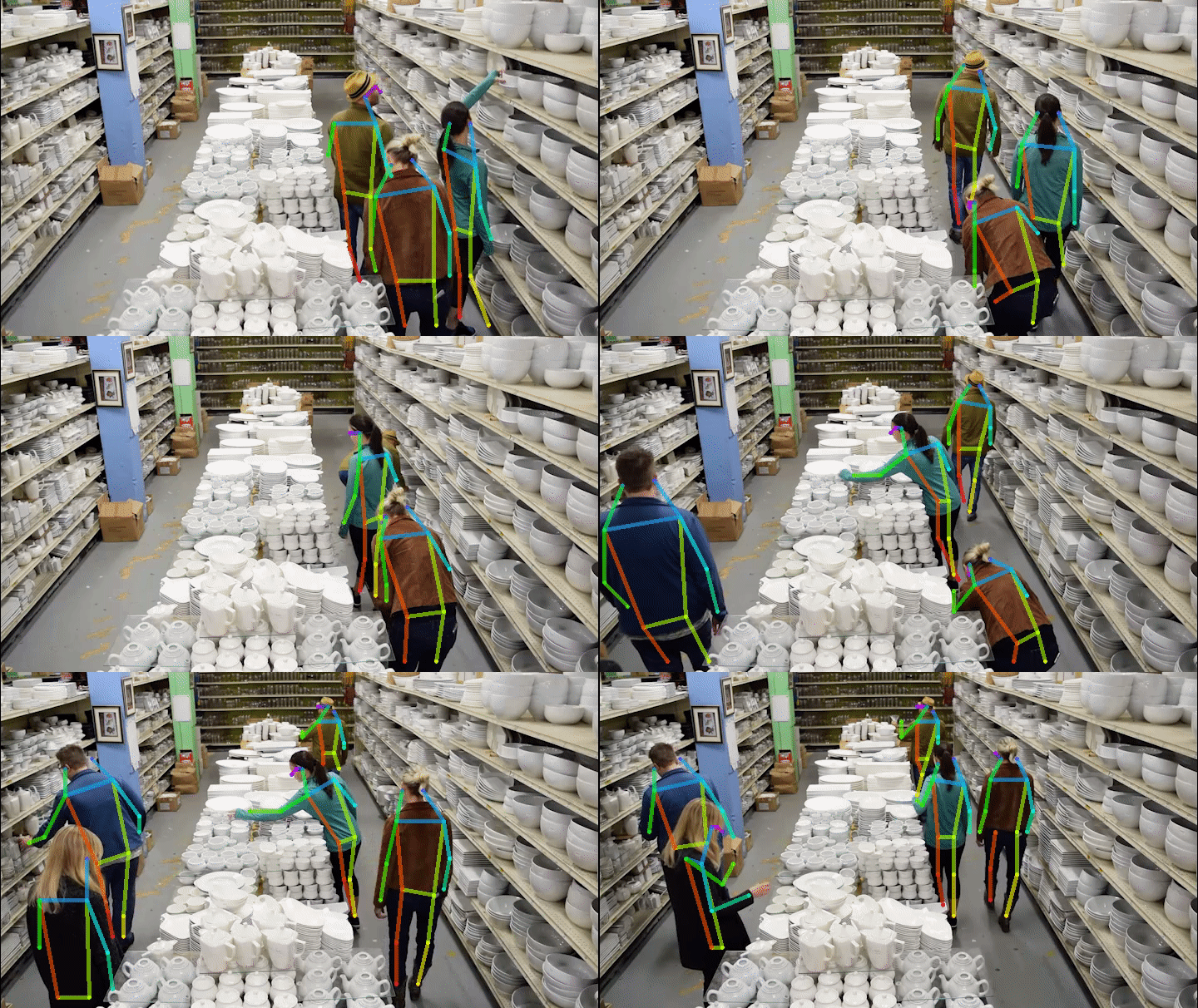 |
| [403-action-recognition-webcam](notebooks/403-action-recognition-webcam/)
|
| [403-action-recognition-webcam](notebooks/403-action-recognition-webcam/)
[](https://mybinder.org/v2/gh/openvinotoolkit/openvino_notebooks/HEAD?filepath=notebooks%2F403-action-recognition-webcam%2F403-action-recognition-webcam.ipynb) | 通过摄像头或基于视频文件的人体动作识别 |  |
## ⚙️ 系统需求
这些notebooks几乎可以在任何地方运行—你的笔记本电脑,一个云虚拟机,甚至一个Docker容器。下表是目前支持的操作系统及Python版本。**注**:Python3.9目前还不支持,不过即将支持。
| Supported Operating System | [Python Version (64-bit)](https://www.python.org/) |
| :--------------------------------------------------------- | :------------------------------------------------- |
| Ubuntu\* 18.04 LTS, 64-bit | 3.6, 3.7, 3.8 |
| Ubuntu\* 20.04 LTS, 64-bit | 3.6, 3.7, 3.8 |
| Red Hat* Enterprise Linux* 8, 64-bit | 3.6, 3.8 |
| CentOS\* 7, 64-bit | 3.6, 3.7, 3.8 |
| macOS\* 10.15.x versions | 3.6, 3.7, 3.8 |
| Windows 10\*, 64-bit Pro, Enterprise or Education editions | 3.6, 3.7, 3.8 |
| Windows Server\* 2016 or higher | 3.6, 3.7, 3.8 |
## 📝 安装指南
运行OpenVINO Notebooks需要预装Python和Git, 针对不同操作系统的安装参考以下英语指南:
| [Windows 10](https://github.com/openvinotoolkit/openvino_notebooks/wiki/Windows) | [Ubuntu](https://github.com/openvinotoolkit/openvino_notebooks/wiki/Ubuntu) | [macOS](https://github.com/openvinotoolkit/openvino_notebooks/wiki/macOS) | [Red Hat](https://github.com/openvinotoolkit/openvino_notebooks/wiki/Red-Hat-and-CentOS) | [CentOS](https://github.com/openvinotoolkit/openvino_notebooks/wiki/Red-Hat-and-CentOS) | [Azure ML](https://github.com/openvinotoolkit/openvino_notebooks/wiki/AzureML) | [Docker](https://github.com/openvinotoolkit/openvino_notebooks/wiki/Docker) |
| -------------------------------------------------------------------------------- | --------------------------------------------------------------------------- | ------------------------------------------------------------------------- | ---------------------------------------------------------------------------------------- | --------------------------------------------------------------------------------------- | ------------------------------------------------------------------------------ | --------------------------------------------------------------------------- |
Python和Git安装完成后,参考以下步骤:
### Step 1: 创建并激活 `openvino_env` 虚拟环境
#### Linux 和 macOS 命令:
```bash
python3 -m venv openvino_env
source openvino_env/bin/activate
```
#### Windows 命令:
```bash
python -m venv openvino_env
openvino_env\Scripts\activate
```
### Step 2: 获取源码
```bash
git clone https://github.com/openvinotoolkit/openvino_notebooks.git
cd openvino_notebooks
```
### Step 3: 安装并启动 Notebooks
将pip升级到最新版本。
```bash
python -m pip install --upgrade pip -i https://pypi.tuna.tsinghua.edu.cn/simple
pip install -r requirements.txt -i https://pypi.tuna.tsinghua.edu.cn/simple
python -m ipykernel install --user --name openvino_env
```
## 💻 运行 Notebooks
### 启动单个 Notebook
如果你希望启动单个的notebook(如:Monodepth notebook),运行以下命令:
```bash
jupyter notebook notebooks/201-vision-monodepth/201-vision-monodepth.ipynb
```
### 启动所有 Notebooks
```bash
jupyter lab notebooks
```
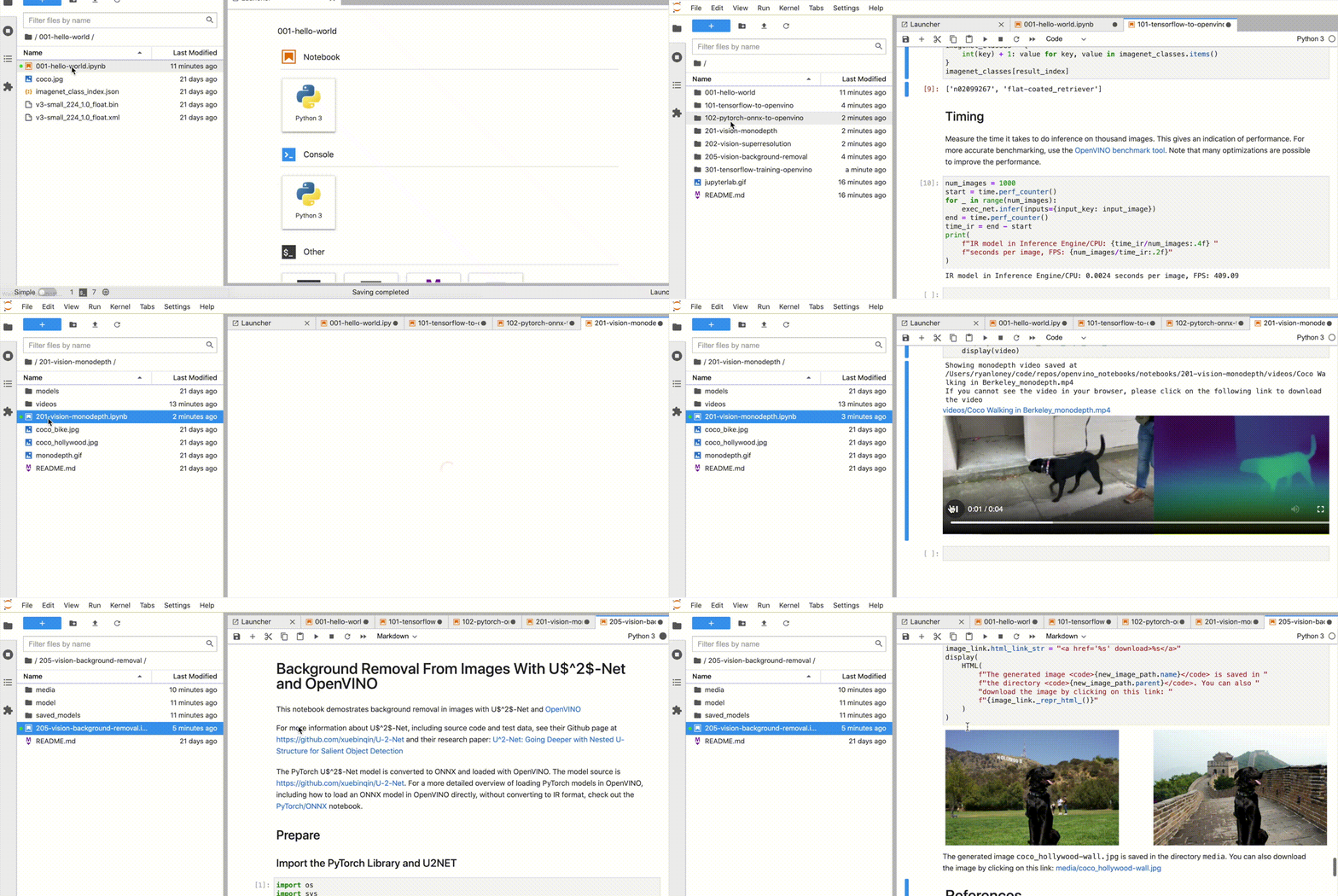
在浏览器中,从Jupyter Lab侧边栏的文件浏览器中选择一个notebook文件,每个notebook文件都位于`notebooks`目录中的子目录中。
|
## ⚙️ 系统需求
这些notebooks几乎可以在任何地方运行—你的笔记本电脑,一个云虚拟机,甚至一个Docker容器。下表是目前支持的操作系统及Python版本。**注**:Python3.9目前还不支持,不过即将支持。
| Supported Operating System | [Python Version (64-bit)](https://www.python.org/) |
| :--------------------------------------------------------- | :------------------------------------------------- |
| Ubuntu\* 18.04 LTS, 64-bit | 3.6, 3.7, 3.8 |
| Ubuntu\* 20.04 LTS, 64-bit | 3.6, 3.7, 3.8 |
| Red Hat* Enterprise Linux* 8, 64-bit | 3.6, 3.8 |
| CentOS\* 7, 64-bit | 3.6, 3.7, 3.8 |
| macOS\* 10.15.x versions | 3.6, 3.7, 3.8 |
| Windows 10\*, 64-bit Pro, Enterprise or Education editions | 3.6, 3.7, 3.8 |
| Windows Server\* 2016 or higher | 3.6, 3.7, 3.8 |
## 📝 安装指南
运行OpenVINO Notebooks需要预装Python和Git, 针对不同操作系统的安装参考以下英语指南:
| [Windows 10](https://github.com/openvinotoolkit/openvino_notebooks/wiki/Windows) | [Ubuntu](https://github.com/openvinotoolkit/openvino_notebooks/wiki/Ubuntu) | [macOS](https://github.com/openvinotoolkit/openvino_notebooks/wiki/macOS) | [Red Hat](https://github.com/openvinotoolkit/openvino_notebooks/wiki/Red-Hat-and-CentOS) | [CentOS](https://github.com/openvinotoolkit/openvino_notebooks/wiki/Red-Hat-and-CentOS) | [Azure ML](https://github.com/openvinotoolkit/openvino_notebooks/wiki/AzureML) | [Docker](https://github.com/openvinotoolkit/openvino_notebooks/wiki/Docker) |
| -------------------------------------------------------------------------------- | --------------------------------------------------------------------------- | ------------------------------------------------------------------------- | ---------------------------------------------------------------------------------------- | --------------------------------------------------------------------------------------- | ------------------------------------------------------------------------------ | --------------------------------------------------------------------------- |
Python和Git安装完成后,参考以下步骤:
### Step 1: 创建并激活 `openvino_env` 虚拟环境
#### Linux 和 macOS 命令:
```bash
python3 -m venv openvino_env
source openvino_env/bin/activate
```
#### Windows 命令:
```bash
python -m venv openvino_env
openvino_env\Scripts\activate
```
### Step 2: 获取源码
```bash
git clone https://github.com/openvinotoolkit/openvino_notebooks.git
cd openvino_notebooks
```
### Step 3: 安装并启动 Notebooks
将pip升级到最新版本。
```bash
python -m pip install --upgrade pip -i https://pypi.tuna.tsinghua.edu.cn/simple
pip install -r requirements.txt -i https://pypi.tuna.tsinghua.edu.cn/simple
python -m ipykernel install --user --name openvino_env
```
## 💻 运行 Notebooks
### 启动单个 Notebook
如果你希望启动单个的notebook(如:Monodepth notebook),运行以下命令:
```bash
jupyter notebook notebooks/201-vision-monodepth/201-vision-monodepth.ipynb
```
### 启动所有 Notebooks
```bash
jupyter lab notebooks
```
在浏览器中,从Jupyter Lab侧边栏的文件浏览器中选择一个notebook文件,每个notebook文件都位于`notebooks`目录中的子目录中。
 ## 🧹 清理
### 停止 Jupyter Kernel
按 `Ctrl-c` 结束 Jupyter session,会弹出一个提示框 `Shutdown this Jupyter server (y/[n])?` 输入 `y` 并按 `回车`。
### 注销虚拟环境
注销该虚拟环境:只需在激活了 `openvino_env` 的终端窗口中运行 `deactivate` 即可。
重新激活环境:在Linux上运行 `source openvino_env/bin/activate` 或者在Windows上运行 `openvino_env\Scripts\activate` 即可,然后输入 `jupyter lab` 或 `jupyter notebook` 即可重新运行notebooks。
### 删除虚拟环境_(可选)_
直接删除 `openvino_env` 目录即可删除虚拟环境:
#### Linux 和 macOS:
```bash
rm -rf openvino_env
```
#### Windows:
```bash
rmdir /s openvino_env
```
### 从Jupyter中移除openvino_env Kernel
```bash
jupyter kernelspec remove openvino_env
```
## ⚠️ 故障排除
如果以下方法无法解决您的问题,欢迎创建一个 [讨论话题](https://github.com/openvinotoolkit/openvino_notebooks/discussions) 或 [issue](https://github.com/openvinotoolkit/openvino_notebooks/issues) !
- 运行 `python check_install.py` 可以帮助检查一些常见的安装问题,该脚本位于openvino_notebooks 目录中。
记得运行该脚本之前先激活 `openvino_env` 虚拟环境。
- 如果出现 `ImportError` ,请检查是否安装了 Jupyter Kernel。如需手动设置kernel,从 Jupyter Lab 或 Jupyter Notebook 的_Kernel->Change Kernel_菜单中选择openvino_env内核。
- 如果OpenVINO是全局安装的,不要在执行了setupvars.bat或setupvars.sh的终端中运行安装命令。
- 对于Windows系统,我们建议使用_Command Prompt (cmd.exe)_,而不是_PowerShell_。
---
\* Other names and brands may be claimed as the property of others.
## 🧹 清理
### 停止 Jupyter Kernel
按 `Ctrl-c` 结束 Jupyter session,会弹出一个提示框 `Shutdown this Jupyter server (y/[n])?` 输入 `y` 并按 `回车`。
### 注销虚拟环境
注销该虚拟环境:只需在激活了 `openvino_env` 的终端窗口中运行 `deactivate` 即可。
重新激活环境:在Linux上运行 `source openvino_env/bin/activate` 或者在Windows上运行 `openvino_env\Scripts\activate` 即可,然后输入 `jupyter lab` 或 `jupyter notebook` 即可重新运行notebooks。
### 删除虚拟环境_(可选)_
直接删除 `openvino_env` 目录即可删除虚拟环境:
#### Linux 和 macOS:
```bash
rm -rf openvino_env
```
#### Windows:
```bash
rmdir /s openvino_env
```
### 从Jupyter中移除openvino_env Kernel
```bash
jupyter kernelspec remove openvino_env
```
## ⚠️ 故障排除
如果以下方法无法解决您的问题,欢迎创建一个 [讨论话题](https://github.com/openvinotoolkit/openvino_notebooks/discussions) 或 [issue](https://github.com/openvinotoolkit/openvino_notebooks/issues) !
- 运行 `python check_install.py` 可以帮助检查一些常见的安装问题,该脚本位于openvino_notebooks 目录中。
记得运行该脚本之前先激活 `openvino_env` 虚拟环境。
- 如果出现 `ImportError` ,请检查是否安装了 Jupyter Kernel。如需手动设置kernel,从 Jupyter Lab 或 Jupyter Notebook 的_Kernel->Change Kernel_菜单中选择openvino_env内核。
- 如果OpenVINO是全局安装的,不要在执行了setupvars.bat或setupvars.sh的终端中运行安装命令。
- 对于Windows系统,我们建议使用_Command Prompt (cmd.exe)_,而不是_PowerShell_。
---
\* Other names and brands may be claimed as the property of others.