## What is Bytebase?
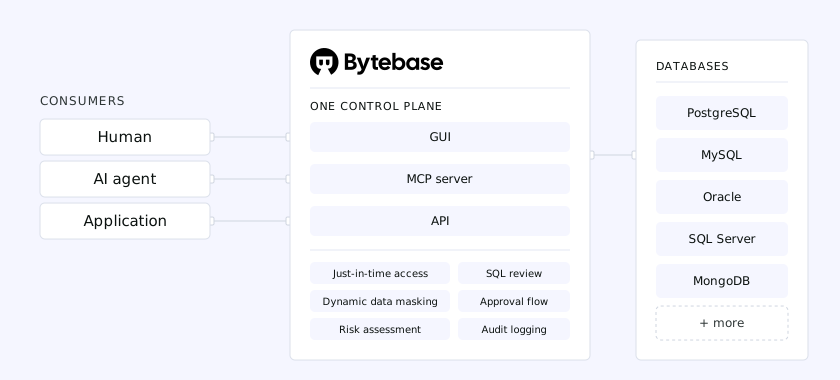
Bytebase is the open-source database governance platform. It acts as a single control plane between your users — humans and AI agents — and your databases, governing change management, access control, and compliance so every change and query is reviewed, controlled, and recorded.
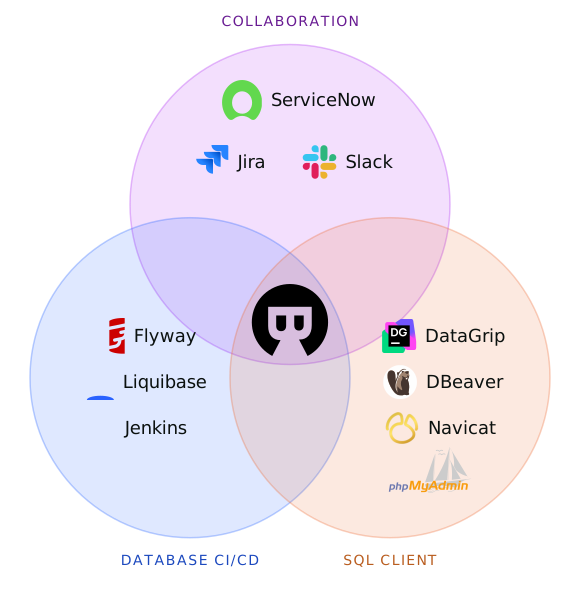
It replaces the disparate tools stitched across migration scripts, SQL clients, and ticketing systems, unifying database operations in a single platform.
## Supported Databases and Integrations
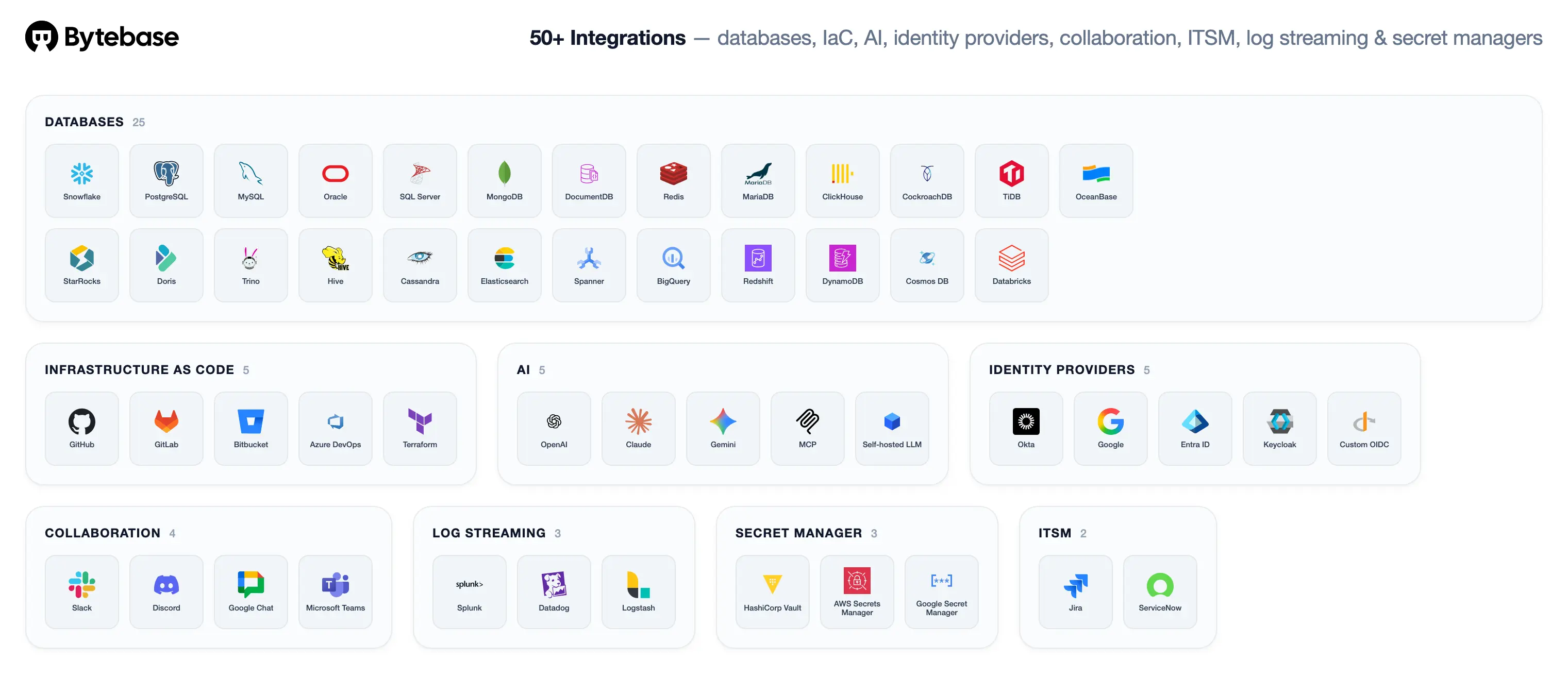
Bytebase supports PostgreSQL, MySQL, SQL Server, Oracle, MongoDB, Redis, MariaDB, TiDB, Snowflake, ClickHouse, Spanner, OceanBase, and [more](https://docs.bytebase.com/introduction/supported-databases) — plus [integrations](https://www.bytebase.com/integrations/) spanning IaC, AI, identity providers, collaboration, ITSM, log streaming, and secret managers.
## Key Features
### Change Management
- **GUI-Based Workflow**: Request, review, deploy, and rollback changes through a web console
- **GitOps Integration**: Native GitHub/GitLab integration for database-as-code workflows
- **SQL Review**: 200+ lint rules to enforce SQL standards and best practices
### Access Control
- **Fine-Grained RBAC**: Project and workspace-level roles and permissions
- **Just-in-Time Access**: Time-boxed database access grants with automatic revocation
- **Dynamic Data Masking**: Column-level masking applied based on user role at query time
### Compliance
- **Audit Logging**: Complete audit trail of all database activities
- **Codified Policy**: Manage policies as code via Terraform Provider and API
- **Data Classification**: Identify and tag sensitive data across your databases
### AI
- **MCP Server**: Connect AI agents and IDEs to Bytebase through the Model Context Protocol
- **Text-to-SQL**: Generate and refine queries in the SQL Editor with AI assistance
- **Page Agent**: Built-in AI assistant that guides or executes workflows from plain language requests
## Quick Start
### Docker
```bash
docker run --init \
--name bytebase \
--publish 8080:8080 \
--volume ~/.bytebase/data:/var/opt/bytebase \
bytebase/bytebase:latest
```
### Kubernetes
```bash
helm install bytebase bytebase/bytebase
```
Visit [http://localhost:8080](http://localhost:8080) and follow the setup wizard.
## Documentation
- [Installation Guide](https://docs.bytebase.com/get-started/self-host-vs-cloud)
- [Tutorials](https://docs.bytebase.com/tutorials)
- [Terraform Provider](https://registry.terraform.io/providers/bytebase/bytebase)
- [API Reference](https://api.bytebase.com)
## Use Cases
### For Development Teams
- Implement database schema version control
- Automate database deployments through CI/CD pipelines
- Collaborate on database changes with review workflows
### For DBAs
- Centralize database management across all environments
- Enforce organization-wide SQL standards and policies
- Monitor and audit all database activities
### For Security Teams
- Control data access with column-level permissions
- Implement data masking for sensitive information
- Maintain compliance with audit trails
## Community & Support
- [Twitter](https://twitter.com/Bytebase)
- [Issue Tracker](https://github.com/bytebase/bytebase/issues)
- [FAQ](https://docs.bytebase.com/faq)
## Contributing
We welcome contributions!
```bash
# Setup a postgres database with user bbdev and database bbdev
export PG_URL=postgresql://bbdev@localhost/bbdev
# Start backend
alias r='go build -ldflags "-w -s" -p=16 -o ./bytebase-build/bytebase ./backend/bin/server/main.go && ./bytebase-build/bytebase --port 8080 --data . --debug'
# Start frontend
alias y="pnpm --dir frontend i && pnpm --dir frontend dev"
```
## Comparisons
- [Bytebase vs Liquibase](https://www.bytebase.com/blog/bytebase-vs-liquibase/)
- [Bytebase vs Flyway](https://www.bytebase.com/blog/bytebase-vs-flyway/)
- [Bytebase vs Jira](https://www.bytebase.com/blog/use-jira-for-database-change/)
- [Bytebase vs DBeaver](https://www.bytebase.com/blog/bytebase-vs-dbeaver/)
- [Bytebase vs DataGrip](https://www.bytebase.com/blog/bytebase-vs-datagrip/)
- [Bytebase vs Navicat](https://www.bytebase.com/blog/bytebase-vs-navicat/)
- [Bytebase vs CloudBeaver](https://www.bytebase.com/blog/bytebase-vs-cloudbeaver/)