# lrcget
**Repository Path**: yingyiyl/lrcget
## Basic Information
- **Project Name**: lrcget
- **Description**: No description available
- **Primary Language**: Unknown
- **License**: MIT
- **Default Branch**: main
- **Homepage**: None
- **GVP Project**: No
## Statistics
- **Stars**: 0
- **Forks**: 0
- **Created**: 2026-05-25
- **Last Updated**: 2026-05-25
## Categories & Tags
**Categories**: Uncategorized
**Tags**: None
## README
# LRCGET
Utility for mass-downloading LRC synced lyrics for your offline music library.
LRCGET will scan every files in your chosen directory for music files, then and try to download lyrics to a LRC files having the same name and save them to the same directory as your music files.
LRCGET is the official client of [LRCLIB](https://lrclib.net) service.
## Download
🎉 Latest version: v2.1.0
Visit the [release page](https://github.com/tranxuanthang/lrcget/releases) to download.
### Windows
EXE installer (recommended): [LRCGET_2.1.0_x64-setup.exe](https://github.com/tranxuanthang/lrcget/releases/download/2.1.0/LRCGET_2.1.0_x64-setup.exe)
MSI installer: [LRCGET_2.1.0_x64_en-US.msi](https://github.com/tranxuanthang/lrcget/releases/download/2.1.0/LRCGET_2.1.0_x64_en-US.msi)
### Linux
Flatpak build (recommended, for most Linux distros):
 Deb packages (for Ubuntu 24.04+ and Linux Mint 22+): [LRCGET_2.1.0_amd64.deb](https://github.com/tranxuanthang/lrcget/releases/download/2.1.0/LRCGET_2.1.0_amd64.deb)
RPM packages (for Fedora, openSUSE, etc.): [LRCGET-2.1.0-1.x86_64.rpm](https://github.com/tranxuanthang/lrcget/releases/download/2.1.0/LRCGET-2.1.0-1.x86_64.rpm)
AppImage (for most Linux distros): [LRCGET_2.1.0_amd64.AppImage](https://github.com/tranxuanthang/lrcget/releases/download/2.1.0/LRCGET_2.1.0_amd64.AppImage)
### macOS
Mac x64 (Intel): [LRCGET_2.1.0_x64.dmg](https://github.com/tranxuanthang/lrcget/releases/download/2.1.0/LRCGET_2.1.0_x64.dmg)
Mac Apple Silicon: [LRCGET_2.1.0_aarch64.dmg](https://github.com/tranxuanthang/lrcget/releases/download/2.1.0/LRCGET_2.1.0_aarch64.dmg)
## Screenshots
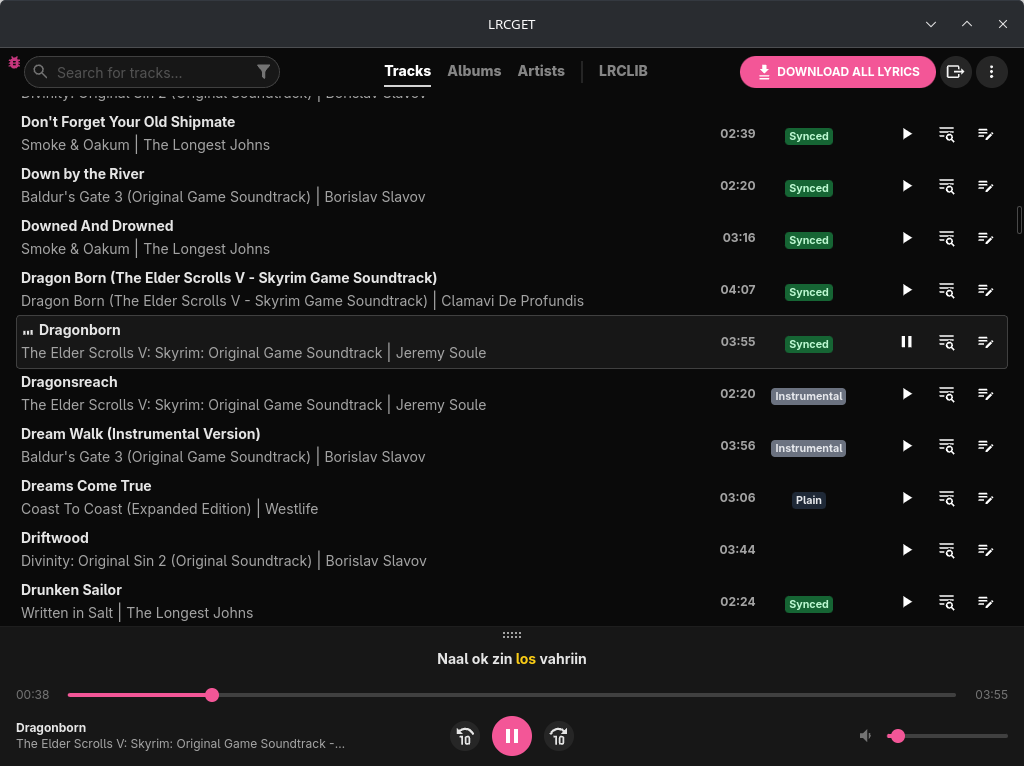
Deb packages (for Ubuntu 24.04+ and Linux Mint 22+): [LRCGET_2.1.0_amd64.deb](https://github.com/tranxuanthang/lrcget/releases/download/2.1.0/LRCGET_2.1.0_amd64.deb)
RPM packages (for Fedora, openSUSE, etc.): [LRCGET-2.1.0-1.x86_64.rpm](https://github.com/tranxuanthang/lrcget/releases/download/2.1.0/LRCGET-2.1.0-1.x86_64.rpm)
AppImage (for most Linux distros): [LRCGET_2.1.0_amd64.AppImage](https://github.com/tranxuanthang/lrcget/releases/download/2.1.0/LRCGET_2.1.0_amd64.AppImage)
### macOS
Mac x64 (Intel): [LRCGET_2.1.0_x64.dmg](https://github.com/tranxuanthang/lrcget/releases/download/2.1.0/LRCGET_2.1.0_x64.dmg)
Mac Apple Silicon: [LRCGET_2.1.0_aarch64.dmg](https://github.com/tranxuanthang/lrcget/releases/download/2.1.0/LRCGET_2.1.0_aarch64.dmg)
## Screenshots

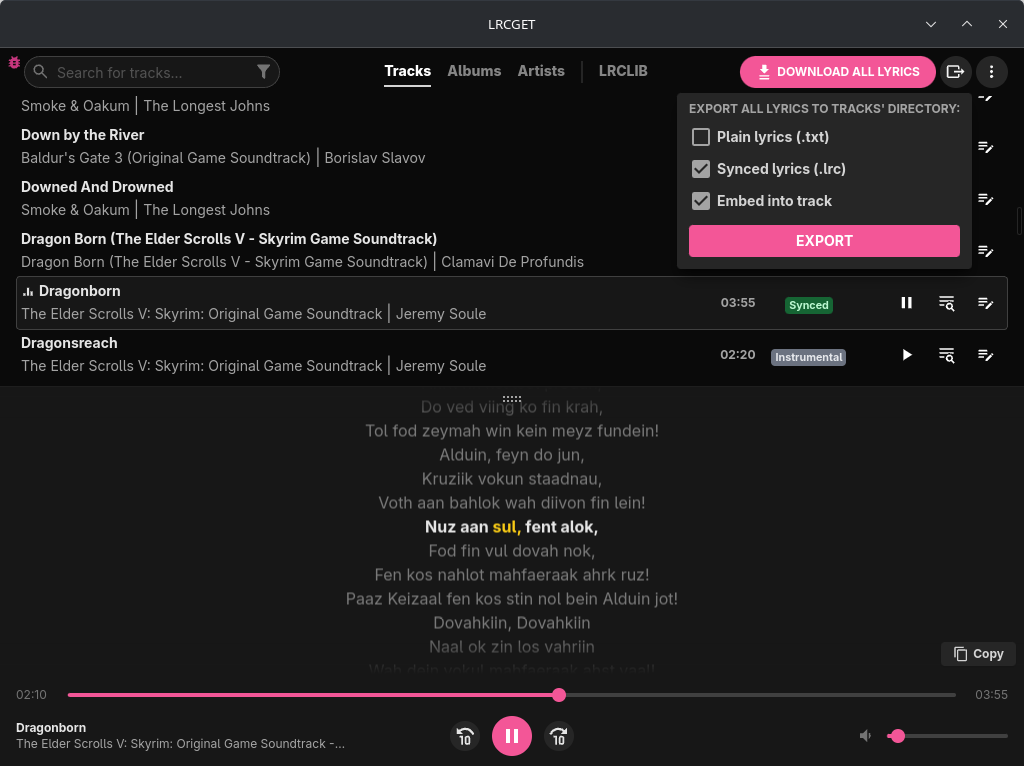
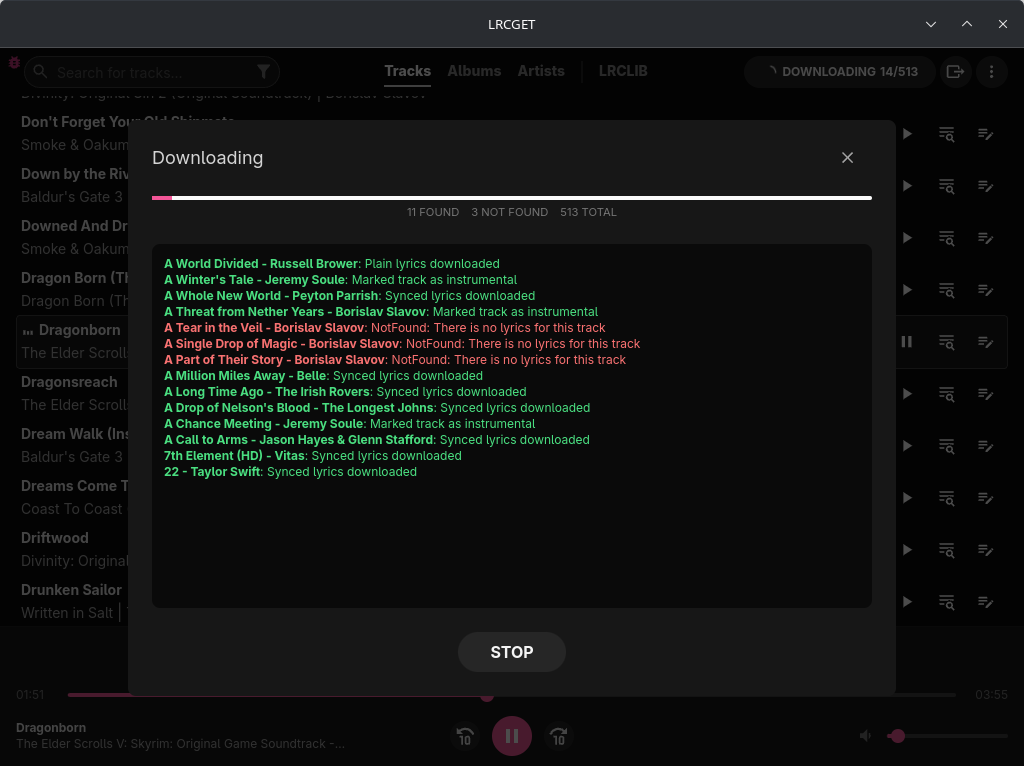
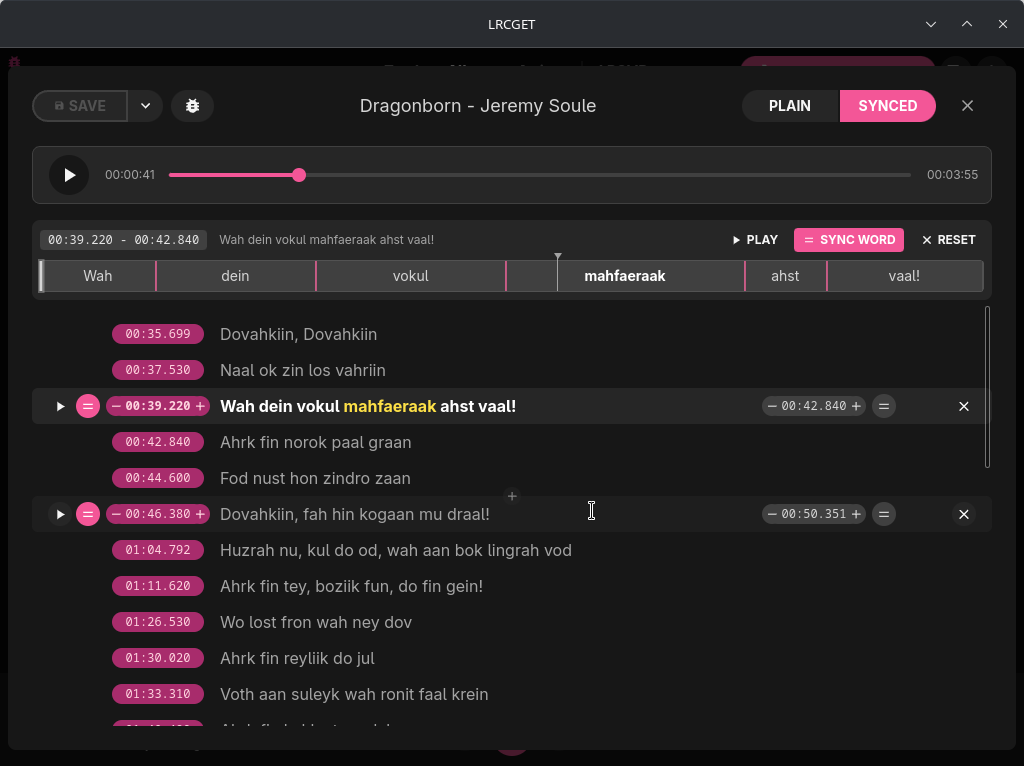
Click to expand more screenshots
## Donation
Toss a coin to your developer?
**GitHub Sponsors (Recommended - 100% of your support goes to the developer):**
https://github.com/sponsors/tranxuanthang
**Buy Me a Coffee:**
https://www.buymeacoffee.com/thangtran
**Paypal:**
https://paypal.me/tranxuanthang98
**Monero (XMR):**
```
43ZN5qDdGQhPGthFnngD8rjCHYLsEFBcyJjDC1GPZzVxWSfT8R48QCLNGyy6Z9LvatF5j8kSgv23DgJpixJg8bnmMnKm3b7
```
**Litecoin (LTC):**
```
ltc1q7texq5qsp59gclqlwf6asrqmhm98gruvz94a48
```
## Troubleshooting
**Audio cannot be played in Linux (Ubuntu and other distros)**
Try to install `pipewire-alsa` package. For example, in Ubuntu or Debian-based distros:
```
sudo apt install pipewire-alsa
```
**App won't open in Windows 10/11**
If you are using Windows 10 LTSC, or have tried running some scripts to debloat Windows 10 (which will uninstall Microsoft Edge and its webview component), you might have issues as LRCGET depends on WebView2. Reinstalling Microsoft Edge might fix the problem (see issue https://github.com/tranxuanthang/lrcget/issues/45).
**Scrollbar is invisible in Linux (KDE Plasma 5/6)**
The exact cause is still unknown, but it can be fixed by going to System Settings > Appearance > Global Theme > Application Style > Configure GNOME/GTK Application Style... > Change to something other than breeze (Awaita or Default) > Apply (see comment https://github.com/tranxuanthang/lrcget/issues/44#issuecomment-1962998268)
## Contact
If you prefer to contact by email:
[hoangtudevops@protonmail.com](mailto:hoangtudevops@protonmail.com)
## Development
LRCGET is made with [Tauri](https://tauri.app).
To start developing the application, you need to do the [prerequisites](https://tauri.app/v1/guides/getting-started/prerequisites) steps according to your operating system.
For example, you need the following components to start the development in Windows:
- Microsoft Visual Studio C++ Build Tools
- Rust 1.81.0 or higher
- NodeJS v16.18.0 or higher
Start the development window with the following command:
```shell
cd lrcget
npm install
npm run tauri dev
```
## Building
Start the build process with the following command:
```shell
cd lrcget
npm install
npm run tauri build
```
Your built binaries are located at:
```
./src-tauri/target/release/
```
For more detailed instruction, follow the [building guide](https://tauri.app/v1/guides/building/) to build the application according to your OS platform.